



Event Overview
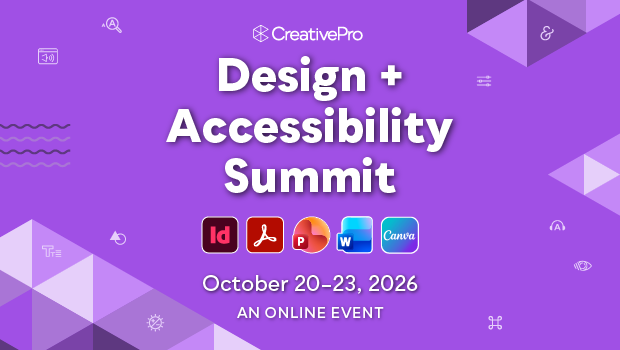
Join us online October 20–23 for the 7th annual Design + Accessibility Summit, the essential how-to event for creating accessible content.
Across four days of practical, expert-led sessions, you’ll learn proven workflows for creating accessible content with InDesign, Acrobat, Illustrator, PowerPoint, Word, Canva, and more.
Whether you’re designing PDFs, presentations, social media graphics, forms, ebooks, videos, or digital publications, this event will help you understand what matters, what works, and how to put accessibility into practice.
From document structure and remediation to screen reader testing, AI-assisted workflows, neuro-inclusive design, and accessibility at scale, you’ll gain skills you can apply immediately. You’ll also learn practical approaches to WCAG, Section 508, ADA requirements, PDF/UA standards, and international accessibility guidelines.
If creating accessible content is part of your job, this is where you learn the skills, best practices, and workflows to do it with confidence.
Can’t join us live? Don’t worry, we’ve got you covered. . .
Registration includes on-demand access to session and Q&A recordings for a full year, so you can learn at your own pace and revisit the training whenever you need it.
What We'll Cover
- Setting up your InDesign documents to export accessible PDF files
- The Word-to-PDF accessibility workflow
- Step-by-step testing with assistive technology and screen readers
- Designing content for low vision, cognitive accessibility, and neuro-inclusive experiences
- Making social media accessible across platforms
- Understanding digital accessibility laws, compliance requirements, WCAG, and PDF/UA standards
- PDF remediation and accessibility testing workflows in Adobe Acrobat
- How accessibility decisions impact everyday design workflows
- Making sense of tags, alt text, reading order, and document structure
- Building accessible tables, forms, presentations, and ebooks in Adobe InDesign, PowerPoint, and other tools
- Accessibility workflows for Adobe Illustrator graphics and document production
- Creating accessible audio and video content with captions, transcripts, and audio descriptions
- Using AI to support and improve alt text writing
- Accessibility tools and workflow strategies for real-world production environments
- Design systems, collaboration, and scaling accessibility across teams
- Leading accessibility change within your organization
- Canva accessibility and accessible document considerations
Get a Taste

Editor’s Picks for The Design + Accessibility Summit 2026
Our Editor in Chief lists his must-see sessions for The Design + Accessibility Summit 2026.
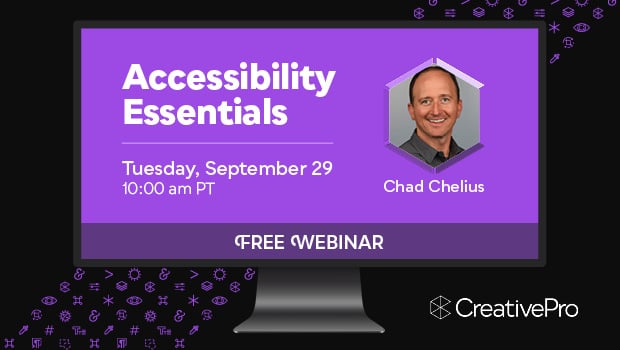
Free Webinar: Accessibility Essentials
Learn the foundational concepts, terminology, and best practices that every designer should understand about accessibility.
Making Tables Accessible
Learn how to correctly tag complex PDF table headers for screen readers with Dax Castro.
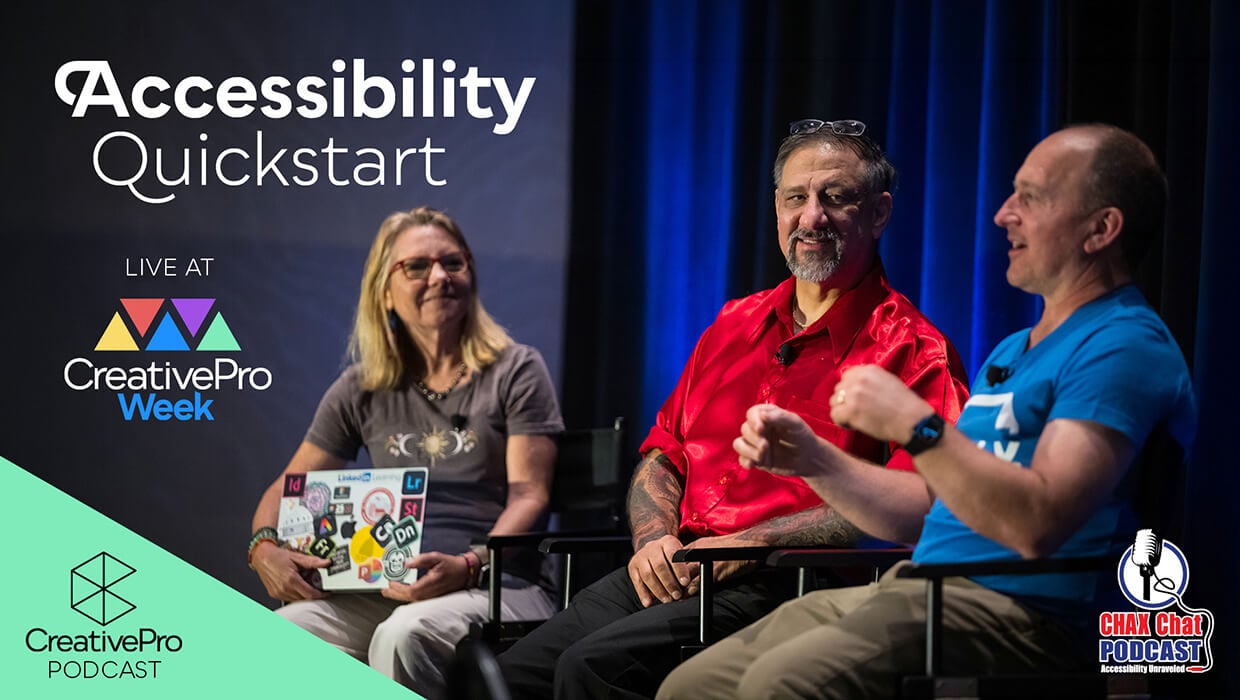
Accessibility Quickstart with Dax and Chad
Dax Castro and Chad Chelius give practical accessibility advice for designers getting started with building…
Mapping Paragraph Styles to PDF Tags in InDesign
Map Paragraph Styles in your InDesign document to the proper tags for accessible PDF creation.
Why Attend
See why The Design + Accessibility Summit needs to be in your 2026 plans now!
Learn Practical Accessibility Skills
Get step-by-step training you can apply immediately. Learn proven techniques for creating accessible content with InDesign, Acrobat, PowerPoint, Word, Canva, and more.
Stay Current
Accessibility standards, tools, and workflows continue to evolve. Learn practical approaches to WCAG, Section 508, ADA requirements, PDF/UA standards, and international accessibility guidelines.
Build Confidence
Understand what matters, what works, and how to make better accessibility decisions throughout your content creation process.
Year-Round Learning
Your registration includes one year of on-demand access to session recordings and speaker handouts, so you can revisit the training whenever you need it.
Need to convince your boss?
Download our Convince Your Boss kit today—it contains our 2026 PDF brochure, a printable agenda, and an email letter template you can personalize.
Registration Details
Livestream access
to all session and Q&A session recordings for the days your pass covers
One year of on-demand access
to all session and Q&A session recordings for the days your pass covers
Speaker handouts
and resources from the world’s top experts
Alumni discount
on future live and online CreativePro events
Certificate of Participation
Pricing
All prices are in USD. CreativePro Member discount cannot be combined.
| Pass Type | CreativePro Members | Non-Members |
|---|---|---|
| 1-Day Pass | $370 | $495 |
| 2-Day Pass | $620 | $745 |
| 3-Day Pass | $870 | $995 |
| 4-Day Pass | $1,070 | $1,195 |
Discounts and Group Registrations
- Students, faculty, non-profits, and government agencies can receive a $100 discount off any multi-day pass.
- CreativePro Members can receive a $125 discount off any multi-day pass.
- Alumni of CreativePro events can receive a $150 discount off any multi-day pass.
- Groups of three or more can receive a $50 discount for each attendee they register.
- Discounts cannot be combined (including CreativePro member discount). Discounts cannot be added after you have registered.
- Please contact us here for discount information prior to registering.
Substitutions
- You may transfer your registration to another person by writing Marci on our Contact Us page. Your request must include your name and e-mail address as well as that of the person who will now be attending in your place. Once we receive this information, a confirmation letter will be sent to the new attendee.
- If you need any other information after reviewing this page, please contact us here.
Speakers
Get real-world answers to your toughest design challenges from our industry-leading experts.
















All times are listed in Pacific timezone.
Click here to download the printable agenda PDFDay 1:
Tuesday, October 20, 2026
Accessibility Foundations: Core Principles and Key Terminology
Digital accessibility can feel overwhelming with its complex laws, standards, and technical jargon. This beginner-friendly session helps you build a strong foundation, clarifying core principles and industry terminology. We will demystify WCAG, explain the differences between laws and guidelines, and show how standards connect to real-world usability and document structure. Whether you are entirely new to accessibility or seeking a refresher, you will leave confident and prepared for the deeper technical sessions.
Topics include:
- Distinguishing accessibility laws, standards, and guidelines
- How people with disabilities use technology
- Plain-language WCAG terminology
- Common accessibility barriers
- Foundations for accessibility workflows and testing
Everyday Design Decisions for Accessibility
Accessibility starts with the design decisions that you make every day. This beginner-friendly session reveals good design habits you can use today to improve accessibility, before you become a remediation expert. Learn how structure, hierarchy, typography, color, and styles help support accessibility across digital and printed content.
Through real-world examples and before-and-after comparisons, you’ll see how small design adjustments can significantly improve clarity, usability, and inclusion without sacrificing creativity. This session introduces foundational concepts including color contrast, neuro-inclusive design, document structure, and accessible workflows.
You’ll leave with a clear starting point and practical action steps you can immediately apply to your own design work.
Explore how to:
- Build stronger accessibility foundations with styles and structure
- Improve readability and visual hierarchy
- Reduce clutter and cognitive overload
- Design beyond color alone
- Apply accessible design habits immediately
Getting Started with Accessibility in InDesign
You already know how to build documents in InDesign. Now it’s time to build them with accessibility in mind. Learn how document structure, paragraph styles, reading order, tables, alt text, and export settings work together to create more accessible PDFs.
Explore the essential InDesign features that support accessibility, including the Articles panel, object export options, metadata, tables of contents, bookmarks, and image descriptions. You’ll also learn workflow habits that help prevent accessibility problems before export.
You’ll leave with a stronger understanding of how accessibility works in InDesign and a solid foundation for more advanced workflows.
Key takeaways:
- How InDesign decisions affect exported PDF accessibility
- Building document structure with paragraph styles and hierarchy
- Managing reading order with the Articles panel
- Adding alt text and metadata for accessible experiences
- Creating PDF bookmarks and table of contents navigation
Acrobat PDF Remediation: Where to Start
PDF remediation starts with understanding what makes a PDF accessible. Before you can fix tags, reading order, or structure, you need to know what those terms mean, where to find them in Acrobat, and how to recognize when a PDF needs remediation.
Join Capri Norrman for a step-by-step introduction to PDF remediation workflows in Adobe Acrobat. Learn how to evaluate a document, identify common accessibility issues, and work through fixes in a logical order. Along the way, you’ll explore common remediation tasks like repairing tags, correcting reading order, fixing document structure, and using Acrobat’s built-in accessibility and Preflight tools.
You’ll leave with a stronger foundation for using Acrobat’s accessibility tools and a clearer sense of how to begin the remediation process without getting lost.
You will learn how to:
• Understand what PDF remediation means
• Recognize the role of tags in accessible PDFs
• Find and navigate the tags tree in Adobe Acrobat
• Identify PDFs with missing or incomplete tags
• Begin basic remediation with a clear starting workflow
Accessible Social Media Across Platforms
Your social media will have a greater impact when you make it accessible. Small choices like missing alt text, hard-to-read captions, or inaccessible hashtag formatting can make content difficult or impossible for many people to engage with.
Follow a practical, platform-by-platform guide to creating more accessible social media content for Instagram, LinkedIn, TikTok, Facebook, and more. Learn how screen readers interact with captions, hashtags, images, and video content across different platforms. Explore strategies for writing alt text that actually helps, creating readable captions, describing visuals clearly, and avoiding common accessibility mistakes that often go unnoticed. You’ll also see accessibility tools, AI-assisted workflows, and built-in platform features that can help you work faster while reaching a wider audience.
You’ll leave with approachable, real-world strategies you can immediately apply to your own social content workflows.
Topics include:
- Writing meaningful alt text and image descriptions
- Formatting hashtags, emojis, captions, and links for assistive technology
- Creating captions, transcripts, and audio descriptions for video content
- Designing graphics that communicate clearly to diverse audiences
- Understanding platform-specific accessibility features and limitations
- Using AI and built-in tools to streamline accessible content creation
Designing with Colors That Work for Everyone
Designing with an accessible color palette doesn't have to be limiting. Instead, it’s an invitation to get creative with color in a new way. Discover what color accessibility is all about, why it matters, and how thoughtful color choices can create better experiences for more people.
Learn how color contrast guidelines help support readability and usability, and how to test your color choices with confidence. Explore how contrast, luminance, and color relationships affect the way people experience your content. Through real examples and before-and-after comparisons, you'll see how small color adjustments can make designs clearer, more effective, and easier to use without sacrificing visual impact.
You’ll leave with practical strategies for choosing, testing, and refining color palettes that work for everyone.
You’ll discover:
- Who is affected by your color choices
- Essential guidelines for success
- How to test your designs and resolve issues without starting over
- How to guide clients, colleagues, and stakeholders about color choices
Day 2:
Wednesday, October 21, 2026
[Project-Based] InDesign to Accessible PDF
Creating accessible PDFs from InDesign can feel overwhelming when you only see pieces of the workflow at a time. This session walks through the complete process, from document setup in InDesign to final accessibility testing in Acrobat.
Work with a real-world sample file as you learn how structure, styles, reading order, alt text, tables, and export settings affect accessibility. Follow the workflow from preparing the document in InDesign to exporting a tagged PDF, reviewing the results in Acrobat, fixing common issues, and validating the final file.
Learn practical, repeatable techniques you can immediately apply to your own accessibility workflows.
You will learn how to:
- Prepare an InDesign document for accessible PDF export
- Use styles, tags, reading order, and alt text more effectively
- Export tagged PDFs with the correct accessibility settings
- Identify and fix common accessibility issues in Acrobat
- Understand which accessibility tasks belong in InDesign versus Acrobat
- Test and validate accessible PDFs with greater confidence
Advanced Accessibility Workflows in InDesign
You understand the foundations of accessibility in InDesign. Now it’s time to tackle the workflows, tools, and document challenges that go beyond the basics. This session explores advanced accessibility techniques for experienced InDesign users who want to create more efficient accessibility workflows.
Explore advanced accessibility challenges, including long documents, heading hierarchies, advanced paragraph styles, custom tagging requirements, reading order issues, and PDF export considerations. You’ll also explore techniques for evaluating tags, reading order, and accessibility information in exported PDFs.
You will learn:
- Set up long and complex documents with accessibility in mind
- Manage advanced document structure and reading order challenges
- Improve exported PDF structure before remediation begins
- Review tags, reading order, and alt text in Acrobat and Callas
- Explore preflight tools and plug-ins that streamline production workflows
Accessibility Toolkit for Efficient Workflows
Creating and testing accessible digital content requires the right tools. This session explores the accessibility tools professionals use to create, test, remediate, and validate accessible documents across a variety of workflows.
Explore free and paid tools for InDesign, Microsoft Office, color testing, screen readers, PDF remediation, and accessibility testing. You’ll learn how to build a toolkit that supports your workflow across both Mac and Windows environments.
Includes:
- Must-have InDesign scripts
- Web services you should bookmark
- Free and paid tools for creating, testing, and remediating accessible documents
- Implementing the right toolkit for a more efficient accessibility workflow
Press Play for Everyone: Accessible Audio and Video
Your audio and video content will reach more people when accessibility is part of the workflow from the start. Captions, transcripts, and audio descriptions help ensure your content reaches the audience you created it for.
Join accessibility experts for a live conversation about making audio and video content more accessible. Through discussion and shared demos, explore practical approaches, tools, and considerations that can inform your own work. Hear different perspectives on common challenges and discover opportunities to improve the experience for more listeners and viewers.
Topics include:
- Understand the value of closed and open captions for people with hearing loss or auditory processing challenges
- Learn how audio descriptions make video content more accessible for individuals with partial or complete vision loss
- Explore free and affordable tools for creating high-quality captions, transcripts, and audio descriptions
- Make visual design choices that improve clarity and usability for more viewers
Illustrator Graphics in Accessible InDesign Document Workflows
Accessible document workflows often start in Illustrator, even though Illustrator cannot create tagged PDFs on its own. The graphics you create for InDesign layouts directly impact how accessible the final document becomes.
This session explores how Illustrator and InDesign work together in accessible document workflows. Learn when Illustrator is the right tool for the job, when content belongs in InDesign instead, and how to build graphics with accessibility in mind from the start. Explore practical workflows for handling color contrast, visual hierarchy, alt text, and graphics that communicate clearly without relying on color alone.
Through real-world examples and workflow demonstrations, you’ll gain a better understanding of how accessible graphics fit into larger InDesign and PDF accessibility workflows.
Topics include:
- Understand when to create content in Illustrator versus InDesign
- Prepare Illustrator assets for accessible InDesign and PDF workflows
- Create charts, graphs, and illustrations that communicate clearly
- Use color contrast and visual hierarchy to improve readability and usability
- Plan more meaningful alt text for visual assets
Better AI Alt Text Starts with Better Context
You can generate alt text with AI in seconds. Getting AI to understand what matters in an image, who it’s for, and how it will be used is much harder.
Join Caroline Desrosiers for a practical look at context-driven alt text workflows. Learn how custom AI assistants, prompts, metadata, style guidance, and human review can improve the quality of AI-generated alt text. Through real-world examples, you’ll see how context changes across the user journey and how to help AI write quality alt text beyond basic compliance.
You’ll leave with practical strategies for creating AI-assisted alt text workflows that are faster, more consistent, and more useful for real people.
Key takeaways:
- Generate higher-quality, context-aware AI alt text with more consistent results
- Compare weak and effective AI-generated alt text through real-world examples
- Understand where human review remains essential for quality and accuracy
Day 3:
Thursday, October 22, 2026
Accessible Presentation Design in PowerPoint
Great presentations work for everyone in the room. The design decisions you make in PowerPoint directly impact accessibility, usability, and audience experience.
Join Stephy Hogan for a practical look at creating PowerPoint presentations that are easier to read, navigate, understand, and engage with. Learn how to identify common accessibility problems in real-world slide decks. Stephy will also explore how popular PowerPoint “hacks” and creative techniques affect accessibility and tagged PDF output. You’ll learn smarter, accessibility-aware ways to build dynamic presentations without creating unnecessary barriers for your audience or remediation headaches later in the workflow.
Topics include:
- Improve reading order, charts, graphics, typography, and dense slide layouts
- Understand what the PowerPoint Accessibility Checker catches—and what it misses
- Explore common PowerPoint “tricks” and their impact on accessibility and tagged PDF output
- Make more informed accessibility decisions without sacrificing visual quality or brand consistency
Creating Accessible Fillable Forms in InDesign
Creating accessible fillable PDF forms doesn’t have to be overwhelming. In this session, we’ll show you how to design forms in InDesign with accessibility in mind, so your documents are usable by everyone.
Learn how to build fillable form fields directly in InDesign, structure forms for screen readers and keyboard navigation, and create PDFs that work better for real people using assistive technology. We’ll also explore common form accessibility issues in Acrobat and learn efficient cleanup and testing strategies that help reduce repetitive remediation work later.
You’ll leave with a clearer understanding of how to create accessible forms that are easier to edit, update, test, and reuse across future projects.
Key takeaways:
- Create accessible fillable PDF forms directly in InDesign
- Structure form fields and reading order for assistive technology
- Add meaningful tooltips and descriptions for form accessibility
- Reduce cleanup work in Acrobat with smarter InDesign workflows
Accessible Table Structures in InDesign
Tables are one of the most effective ways to present data, but they can also be one of the biggest accessibility challenges in an InDesign workflow. While InDesign provides some basic tools for creating accessible tables, understanding which table structures work well and which require additional remediation is critical to producing accessible PDFs efficiently.
In this session, you’ll learn how to create tables in InDesign that minimize accessibility issues before export. We'll explore the differences between simple and complex table structures, identify common design patterns that create problems for assistive technology users, and discuss practical strategies for reducing cleanup work in Acrobat. You’ll also learn when InDesign alone is sufficient, when additional remediation is required, and how tools such as MadeToTag can help streamline the process. You’ll leave with practical checklists, design guidance, and a clear understanding of how to create table structures that support accessibility from the start.
Key takeaways:
- Understand the limitations of InDesign's native table accessibility features
- Learn which table structures export successfully from InDesign and which require additional remediation
- Identify common table design patterns that create accessibility barriers and how to avoid them
- Discover strategies for reducing table remediation time in Acrobat
- Receive practical checklists and workflows for creating more accessible tables from the beginning
Building Better Word-to-PDF Accessibility Workflows
The structural and styling choices you make in Microsoft Word directly affect how accessible your final PDF will be. This session shows you how to build accessibility into your documents from the start so remediation becomes faster, cleaner, and far less frustrating later in the workflow.
Join Shawn Jordison for a practical walkthrough of creating accessible Word documents designed for PDF export. Learn how to use styles, headings, lists, tables, metadata, and Word’s built-in accessibility tools to create more organized, compliant, and user-friendly documents. Shawn will demonstrate real-world workflows, common mistakes that create accessibility problems downstream, and repeatable strategies you can apply immediately with your own files.
Whether you create documents yourself or receive Word files from others, you’ll leave with a clearer understanding of how accessible document workflows should begin before remediation even starts.
Key takeaways:
- Building Word documents with accessibility in mind from the start
- Applying styles, headings, lists, and tables more effectively
- Identifying common Word formatting mistakes that create PDF accessibility problems
- Using Word’s Accessibility Checker and built-in accessibility features with greater confidence
- Creating cleaner, more successful, accessible PDF exports from Word documents
Beyond the Accessibility Checker
You’ve created an accessible PDF, but your work isn’t done until you’ve tested it. This session explores practical methods for testing accessible documents using accessibility checkers, manual review techniques, and assistive technology.
Learn a step-by-step workflow for reviewing tags, reading order, keyboard navigation, document structure, and screen reader behavior. Follow the process of running automated accessibility checks, identifying issues automated tools miss, and validating the overall user experience beyond simple pass/fail results.
This session focuses on practical testing strategies, efficient workflows, and repeatable techniques you can apply to your own accessibility review process.
You’ll learn how to:
- Use accessibility checkers more effectively
- Identify common accessibility issues that automated tools miss
- Test reading order, tags, and document structure
- Validate documents with keyboard navigation and screen readers
- Build a practical document accessibility testing workflow
- Evaluate accessibility beyond simple pass/fail results
The Legal Landscape of Digital Accessibility
Digital accessibility requirements continue to evolve, and organizations face increasing pressure to understand both their responsibilities and their risk. This session explores the current legal landscape surrounding digital accessibility, including recent developments related to ADA Title II and HHS Section 504 requirements.
Join nationally recognized accessibility attorney Judith Risch for a practical discussion about compliance expectations, enforcement trends, accessibility risk, and the real-world consequences of non-compliance. You’ll leave with a clearer understanding of where things stand today and what your organization should be paying attention to moving forward.
Key takeaways:
- Understand current accessibility compliance requirements
- Identify accessibility risks that can expose organizations to legal complaints and enforcement actions
- Recognize the business, legal, and reputational consequences of inaccessible digital content
Day 4:
Friday, October 23, 2026
Canva Accessibility: What Designers Need to Know
Canva is widely used, and many designers are now asked to remediate exported Canva PDFs that were never built with accessibility in mind. At the same time, Canva continues adding accessibility features.
This session takes a practical, balanced look at the current state of accessibility in the Canva ecosystem. Explore where meaningful progress is happening, where major limitations still exist, and how export decisions affect reading order, tagging, remediation, and screen reader usability.
You’ll learn how to:
- How to identify current accessibility strengths and limitations in Canva workflows
- How exported PDFs may affect tagging, reading order, and remediation
- When remediation is practical and when rebuilding content may be necessary
- Why you should pay attention as these tools continue to evolve
Foundations of Accessible Ebooks in InDesign
Making accessible ebooks is more achievable than ever with today’s tools in InDesign. Whether you create digital publications regularly or are just starting to explore ebook workflows, understanding accessibility is essential for creating content that works for more readers.
In this session, Laura Brady walks through practical strategies for creating accessible ebooks from InDesign layouts. Learn how document structure, navigation, semantics, metadata, and image descriptions contribute to a better reading experience across reading devices and assistive technologies. You’ll also explore common workflow challenges and how recent improvements in InDesign are changing accessible publishing workflows.
Topics include:
- How to create more accessible ebooks from InDesign
- Structure navigation and table of contents elements more effectively
- Add metadata and image descriptions that improve usability
- Understand the role of semantics in accessible publishing workflows
- Identify common accessibility issues in digital publishing workflows
Understanding the Screen Reader Experience
Every accessibility decision you make shapes someone’s experience reading and navigating your documents. This session offers a real-world look at how screen reader users experience digital content, helping you better understand the human impact behind accessibility standards and testing workflows.
Follow along as screen reader user Karen McCall demonstrates and discusses how adaptive technology interprets headings, links, alt text, reading order, tables, and other common document elements in real time. Hear what works, what creates confusion, and how structure and organization directly affect usability.
You’ll leave with a clearer understanding of how screen readers interact with digital documents and how to make more informed accessibility decisions in your own work.
You’ll learn how to:
- Understand how screen readers navigate digital documents
- Recognize common accessibility barriers for screen reader users
- Identify reading order and navigation issues more effectively
- Evaluate accessibility from a real user perspective
Neuro-Inclusive Design: Cultivating Clarity Without Cognitive Overload
Do your designs assist or overwhelm people with different ways of thinking, focusing, processing, and perceiving the world?
Thoughtful design can make the difference between clarity and cognitive overload for neurodivergent users. In this session, Kayleen Holt explores how design choices affect people with ADHD, autism, dyslexia, sensory sensitivities, and other forms of neurodivergence.
Through real-world examples, personal stories, and practical accessibility strategies, you’ll learn how cognitive load, sensory input, memory, and executive functioning shape the way people experience your work—and how small design choices can create the conditions for more users to thrive.
Whether you design websites, presentations, documents, interfaces, or multimedia content, you’ll leave with actionable techniques and a new perspective on how accessible design can support clarity, flexibility, and inclusion for every mind.
You’ll learn how to:
- Recognize common cognitive and sensory barriers in design
- Reduce overwhelm without sacrificing creativity
- Apply practical neuro-inclusive design strategies
- Use the W3C Cognitive Accessibility Guidance in approachable, real-world ways
- Create more flexible, user-centered experiences for a wider range of people
Leading Accessibility Change in Your Organization
Getting support for accessibility takes more than good intentions. You need a strategy that connects accessibility goals to the priorities, pressures, and decision-making realities inside your organization.
This session explores practical ways to build internal support for accessibility initiatives across leadership, management, and cross-functional teams. Learn how to tailor accessibility conversations around the issues decision-makers care about most, including legal risk, operational efficiency, audience reach, brand reputation, and sustainability. You’ll also explore how to assess organizational readiness, identify barriers slowing progress, and build stronger cases for accessibility training, staffing, workflows, tools, and long-term planning.
Learn how to:
- Understand the four key motivators behind accessibility decision-making: risk, income, justice, and sustainability
- Position accessibility as a business and organizational priority
- Tailor accessibility conversations for executives, managers, and stakeholders
- Identify organizational barriers that slow accessibility adoption
- Build stronger support for accessibility training, tools, staffing, and workflows
Accessibility at Scale: Design Systems for Teams
Design systems help teams create more consistent and efficient design at scale. Building accessibility into those systems from the start helps create more inclusive experiences across every project and platform.
This session explores how accessible design systems can support teams working across web, digital, and document-based projects. Learn how accessibility decisions can be documented, shared, and reused across teams and deliverables. You’ll also see how tools such as Figma can support collaboration, component libraries, and accessibility workflows without requiring every attendee to work in web design.
You’ll leave with a stronger understanding of how systems thinking can reduce accessibility issues, improve collaboration, and create better user experiences.
You’ll learn how to:
- Build accessibility into reusable design patterns and templates
- Document accessibility decisions for designers, developers, and content creators
- Use design systems to reduce remediation and rework
- Support accessibility collaboration and workflow planning with tools such as Figma


Discounts and Group Registrations
- Students, faculty, non-profits, and government agencies can receive a $100 discount off any multi-day pass.
- CreativePro Members can receive a $125 discount off any multi-day pass.
- Alumni of CreativePro events can receive a $150 discount off any multi-day pass.
- Groups of three or more can receive a $50 discount for each attendee they register.
- Discounts cannot be combined (including CreativePro member discount). Discounts cannot be added after you have registered.
- Please contact us here for discount information prior to registering.
Substitutions
- You may transfer your registration to another person by writing Marci on our Contact Us page. Your request must include your name and e-mail address as well as that of the person who will now be attending in your place. Once we receive this information, a confirmation letter will be sent to the new attendee.
- If you need any other information after reviewing this page, please contact us here.