Stephy Hogan

Stephy Hogan

About

In the dynamic realm of digital design, Stephy emerges as a beacon of creativity and inclusivity. Transitioning from the structured realm of chemistry to the fluid universe of presentation and UX design, her journey reflects both versatility and insatiable curiosity. With over two decades of experience, Stephy is renowned for crafting visually stunning solutions that profoundly impact accessibility in the digital space.

Her pivot to accessible digital design was not arbitrary but born from personal experiences, observing her children and colleagues navigate the complexities of remote learning and digital accessibility. This personal connection fuels her drive to create genuinely inclusive digital experiences, imbued with empathy and communication at their core.

As a visionary speaker and founder of the Presentation Guild, Stephy captivates audiences with her insights into UX trends and the transformative power of thoughtful design, including using PowerPoint to create inclusive audience experiences. Her engaging presentations serve as a bridge between theory and real-world impact, inspiring action within the design community.

Beneath her professional demeanor lies someone who transformed “shitty digital experiences” into digital gold while advocating for accessibility—a cause close to her heart. Stephy’s unconventional yet effective approach underscores her belief in the universal language of design, shaped by listening, understanding, and responding to user needs.

In an increasingly digital world, Stephy stands as a guardian of accessibility, a designer par excellence, and a storyteller whose narratives resonate in her designs. Her commitment to creating inclusive spaces is not just a profession but a passion—one that shines as brightly as her designs.

Speaking at these events

Event
The Presentation Design Conference 2026
February 17–20An Online Event

The essential how-to event for anyone who creates, designs, or delivers presentations.

Learn more
Archived
The Design + Accessibility Summit 2025
September 16–19An Online Event

Available for purchase through December 19. On-demand access ends September 19, 2026. Learn how to design accessible documents with InDesign, Acrobat, PowerPoint, and more at…

Learn more
Archived
CreativePro Week 2025
June 2–6Now Available On Demand

Available for purchase through September 6. On-demand access ends June 6, 2026. CreativePro Week is the world’s best how-to conference to master the tools of…

Learn more
Archived
Presentation Design Conference 2025
March 12–14An Online Event

The essential how-to event for designers who need to create compelling slide decks, interactive experiences, and impactful presentations.

Learn more
Article
How to Use PowerPoint’s Morph Transition

Learn to use PowerPoint’s Morph transition to change shapes or text smoothly between slides.

Learn more
Article
Tips for Creating Better Tables in PowerPoint

Making tabular data in PowerPoint look good can be challenging, but Stephy Hogan’s tips can help.

Learn more
Article
How to Create Lollipop Charts in PowerPoint

Turn your PowerPoint data into eye-catching lollipop charts with Stephy Hogan.

Learn more
Article
Going from PowerPoint to Google Slides

What to expect when you’re expecting your PowerPoint deck to survive the jump to Google Slides

Learn more
Article
Work Week Projects: Customizing PowerPoint

Five quick exercises to do while you’re at work to make working in PowerPoint more efficient and enjoyable

Learn more
Article
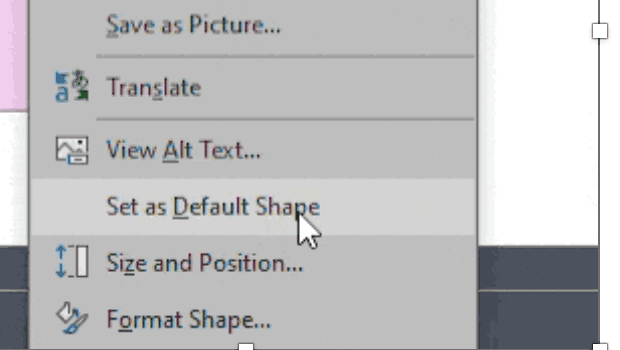
How to Set Default Shapes, Lines, and Text Box Styles in PowerPoint

One way to make working in PowerPoint smoother is to set default shapes, lines, and text box styles so you have things the way you want them right from the start. Here’s how. Start by putting a shape (any kind), a line, and a text box on a slide. Format each one to your preference […]

Learn more
Article
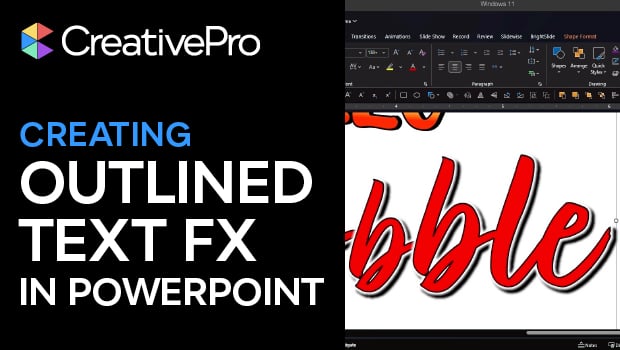
How to Convert Text to Outlines in PowerPoint

PowerPoint doesn’t make it easy to convert your live text to outlines, but Stephy Hogan has a clever solution.

Learn more
Article
How to Convert PowerPoint Slides to Google Slides

Learn how to convert your PowerPoint deck to Google Slides and how to fix the things that don’t survive the transition.

Learn more
Article
Readable by Design: Accessible Type

Typography isn’t just about looks. It’s how you talk to your audience, so make sure they hear you loud and clear.

Learn more
Article
How to Turn Off Features You Don’t Want to Use in PowerPoint

The first step to making the PowerPoint UI a better place to work is to adjust settings and turn off features you don’t want to use. Here’s how. On PC, go to File > Options (all the way on the bottom left). On a Mac, go to PowerPoint > Preferences. For example, I always:

Learn more
CPW Icons

June 29–July 3, 2026

Nashville, TN (and online)