




Ever need to record the location of placed files, either for your own records or to send to someone else? You don’t have to manually type out a file path of a placed file in InDesign. All you have to do is visit the Links panel, select the file in the panel, and from the panel menu choose Copy Info > Copy Full Path (or Copy Platform Style Path).
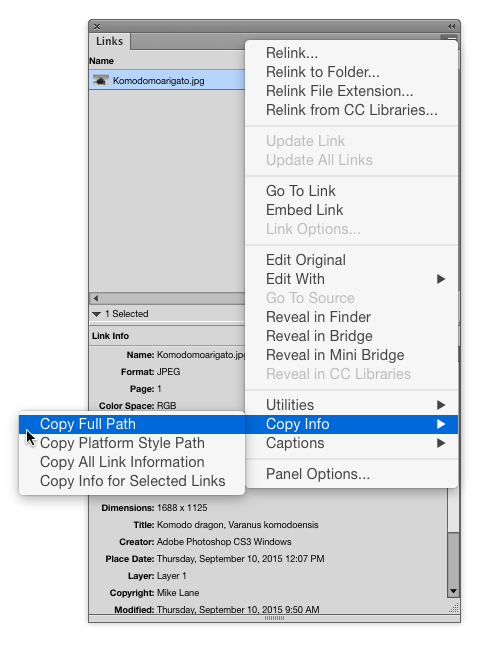
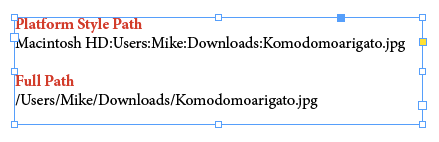
You can also access this command by right-clicking on the file in the panel or in the Link Info section of the panel.

This article was last modified on January 12, 2026
This article was first published on September 15, 2015
Commenting is easier and faster when you're logged in!

Recommended for you

The affects and effects of effective Effects
In the world of page layout features there are the bread-and-butter features suc...

Hot Tips
Your favorite InDesign experts bring the heat with this collection of fresh tips...
Adobe GoLive 9 Ships (Finally!)
You might not have noticed if you wandered by Adobe.com recently, but Adobe just...