



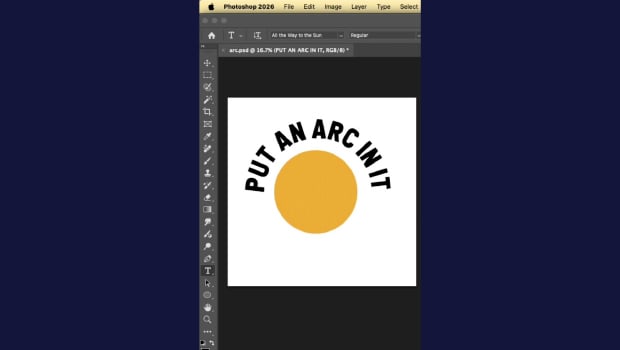
In this short InDesign how-to video, Khara Plicanic shows off the latest addition to the Dynamic Text feature. It’s now just one click to get text in an arc or all the way around a circle.
Subscribe to the CreativePro YouTube channel for more helpful design tips!
This article was last modified on May 21, 2026
This article was first published on May 21, 2026
Commenting is easier and faster when you're logged in!

Recommended for you

Duplica 4.0 XTension for QuarkXPress 8 Now Available
Badia Software was founded in 1998 with the release of Duplica XT for QuarkXPres...
How to Create Dynamic Text in Photoshop
Learn how to create dynamic text in Photoshop that expands to fill each line in...
New Photoshop Tools in the Early 2026 Update
Steve Caplin gives a thorough tour of Photoshop's new April 2026 features!