



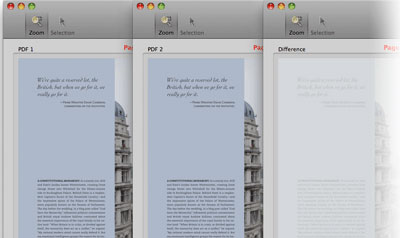
PDF Comparator Professional, from Premedia Systems, has just updated to version 3. This Mac-only tool compares two PDFs on a pixel-by-pixel level and shows you the differences.
Here are the major new features in PDF Comparator 3 Professional:
• View PDF comments
• View raw text differences
• Scale one PDF relative to the other
• Zoom in with the magnifier loupe view
• Highlight differences to locate small differences easily
• Minimize slight movements of individual objects between documents with a “Reduce Jitter” mode
• Export comparison results to a PDF
• Package a comparison job for archiving
You can buy PDF Comparator 3 Professional for $195. Upgrades from version 2 are $70.
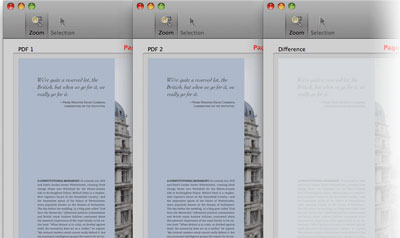
There is also a Standard version of PDF Comparator 3. It lacks the Professional’s new features listed above, though it does have a couple of minor new features, plus improved performance and reliability.
PDF Comparator 3 Standard costs $125 and is a free upgrade from version 2.
This article was last modified on June 19, 2020
This article was first published on July 18, 2011
Commenting is easier and faster when you're logged in!

Recommended for you

A Script to Display InDesign Documents at Actual Size
Script makes Actual Size on screen match actual size in the real world, even if...

Inside the Adobe Admin Console
Knowing how your IT department controls Creative Cloud apps and services can hel...

Mapping Paragraph Styles to PDF Tags in InDesign
Map Paragraph Styles in your InDesign document to the proper tags for accessible...