




If you’ve ever needed to package a bunch of InDesign files or convert them to a different file format like PDF or IDML (for opening in earlier versions of the program), then you must check out the InDesignSecrets video on Batch Converting at lynda.com. In the video, David Blatner shows an amazing script that can save you hours of toil and boredom.
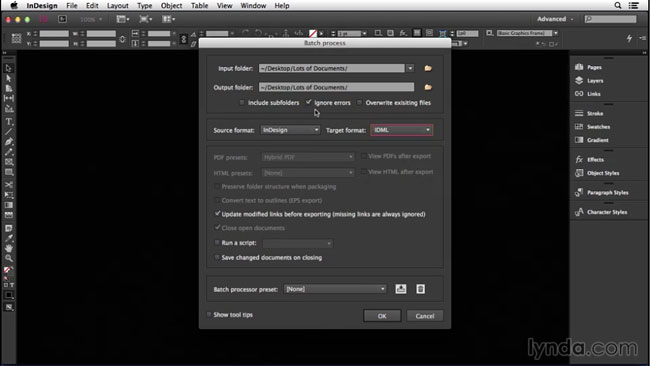
This is one of my favorite InDesign scripts ever, and I use it all the time. For example, whenever I record movies for lynda.com, I provide exercise files for members to download and follow along with the lesson. Those files are provided in both INDD and IDML format, and to make all the IDMLs, I use the script that David shows in this video. I know after you’ve used it once, you’ll definitely want to keep this script in your bag of InDesign tricks forever.
So check out the video and learn how to make batch packaging and converting files a snap.
This article was last modified on March 5, 2025
This article was first published on December 19, 2014
Commenting is easier and faster when you're logged in!

Recommended for you

Resizing InDesign Layouts with AI
Most designers don’t create a single deliverable anymore. They create campaigns....
Tips to Control Photoshop Layers
Khara Plicanic shares smart Photoshop Layers panel tips to help you find and man...

Accessibility Plug-ins for InDesign
Generate PDFs that are more accessible with more ease by using these two new plu...