



To reset the settings in most Export dialog boxes, go to File>Export and select the file type. In the next dialog, hold down the Option/Alt key so the Cancel button changes to Reset.
This article was last modified on March 4, 2023
This article was first published on December 4, 2018
Commenting is easier and faster when you're logged in!

Recommended for you

Photoshop Tip: Using History Snapshots
Whether you call them do overs, Mulligans, or second chances, we all need those...
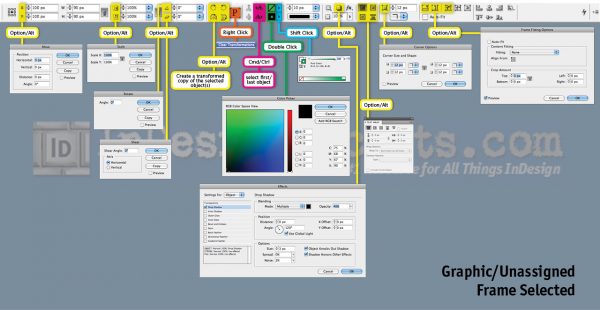
Secrets of the Control Panel Revealed
The Control panel is teeming with hidden shortcuts to other panels, preferences,...
InDesign Tip: Copying File Paths from the Links Panel
Ever need to record the location of placed files, either for your own records or...