




In this PowerPoint video, Nolan Haims shows how to set up a document grid for easier layout. Though PowerPoint doesn’t have a native grid feature—like you’d find in InDesign or Illustrator—Nolan uses the free BrightSlide add-on. This one feature (of which there are many) allows you to set rows and columns with custom values and makes it easy to design your slide layouts in a logical and pleasing way.
This video is an excerpt from Nolan’s “PowerPoint for InDesign Users” at CreativePro Week 2023!
Subscribe to the CreativePro YouTube channel for more helpful design tips!
This article was last modified on August 29, 2025
This article was first published on May 1, 2024
Commenting is easier and faster when you're logged in!

Recommended for you

Creating Custom PowerPoint Keyboard Shortcuts on the Mac
How to set up keyboard shortcuts in macOS to improve your PowerPoint experience
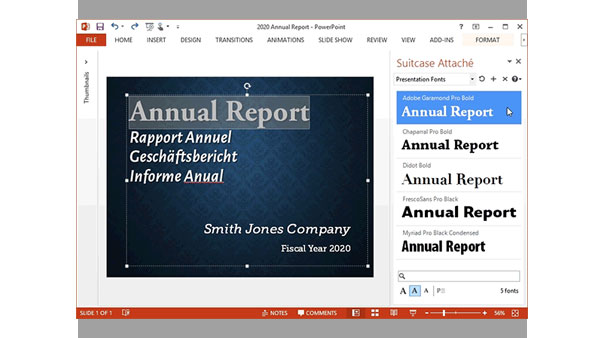
Extensis Launches Next Generation Font Menu for Microsoft Word and PowerPoint
PORTLAND, Ore.—February 18, 2015—Extensis® today announced Suitcase Attaché™, a...

InDesign Magazine Issue 126: Charts and Graphs
We’re happy to announce that InDesign Magazine Issue #126 (October 2019) is...