




AMB wrote:
Is there a way to capture the names of all the linked files in the ‘links’ pallet/panel, and paste them into – say MS Word or Excel to sort them?
As with so many of these “secrets,” there’s good news and bad news. The good news is that it’s sort of possible. The bad news is that it’s not pleasant. One reasonable method to get a list of your links is to choose File > Preflight. Then click the Report button at the bottom of the Preflight dialog box.
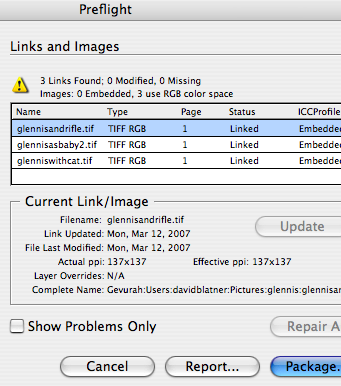
When you open the report up in a text editor (such as NotePad or TextEdit), you can scroll down to see a list of all linked images:

Now, the hard part is getting all that data to format properly into a spreadsheet. I bet there’s a good way to do it in Excel, but pretty much everything about Excel gives me the willies. Any readers out there prepared to find a quick and easy way to convert this kind of text file to a spreadsheet (with the file name in one column, the link in another column, and so on)?
This article was last modified on December 18, 2021
This article was first published on May 9, 2007
Commenting is easier and faster when you're logged in!

Recommended for you

Adding and Styling Text in Premiere
Myra Ferguson covers text formatting and safe margins in Premiere.

A Script to Rotate Objects in InDesign with an Object Style
If you were to ask me how to use an object style to rotate objects in InDesign,...

How to Make Motion Look Realistic in Premiere
Create a convincing animation in Premiere using the Transform effect.