


Flash How-To: Creating Animation in Flash MX 2004


Flash animations add pizzazz to Web sites. They can be used to demonstrate a technique, showcase a product in action, or simply provide movement and, well, “flash” to an otherwise staid site.
But if you’ve been immersed in print publishing, or if your Web skills are basic at best, then the idea of tackling Flash may seem daunting. The concepts may appear incomprehensible and terminology unfamiliar.
Never fear: This book excerpt uses an entirely visual approach to learning Flash MX 2004. Through compelling graphics you’ll understand how a timeline works, what a keyframe is, and how an onionskin is applied.
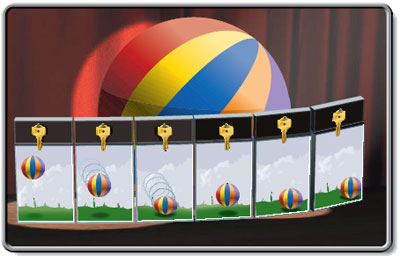
In this excerpt from “Teach Yourself Visually Flash MX 2004,” you’ll see (literally!) how easy it is to create Flash animations.
Note: Because of the graphic-intensive presentation of the material, this file is very large. We have compressed the PDF as a 34MB .zip file. Download when your schedule permits. Please be patient.
To begin downloading control- or right-click the link “Creating Animations in Flash.”
To open the PDF, you’ll need a full version of Adobe Acrobat (5 or higher) or the Adobe Reader, which you can download here:
 .
.
To learn how to configure your browser for viewing PDF files, see the Adobe Reader tech support page.
Excerpted from “Teach Yourself Visually Flash MX 2004” by Sherry Kinkoph. Copyright © 2004 Wiley Publishing. All rights reserved. Reproduced here by permission of the publisher.
This article was last modified on January 8, 2023
This article was first published on December 17, 2004
Commenting is easier and faster when you're logged in!

Recommended for you

Mapping Paragraph Styles to PDF Tags in InDesign
Map Paragraph Styles in your InDesign document to the proper tags for accessible...

Don’t Ask Your AI to Identify a Font
When it comes to identifying typefaces in images, artificial intelligence isn't...

The Peter Kahrel Script Repository Gets a CreativePro Makeover
Peter Kahrel is one of the most prolific and influential InDesign scripters of a...