


Filtered File > Open Dialog Box
Here's a way to filter file types in your Open File dialog box.
Oops, you’re not logged in!
Log in or sign up for a free account.


This script is part of the Interface collection. See the full collection here.
When you use File > Open (or press Ctrl+O) to open a file, InDesign shows a dialog in which, by default, all files are shown that InDesign can open. That means that INDD, INDB, IDML, PDF, and whatever else, are shown. That can make for a long and confusing list of files.
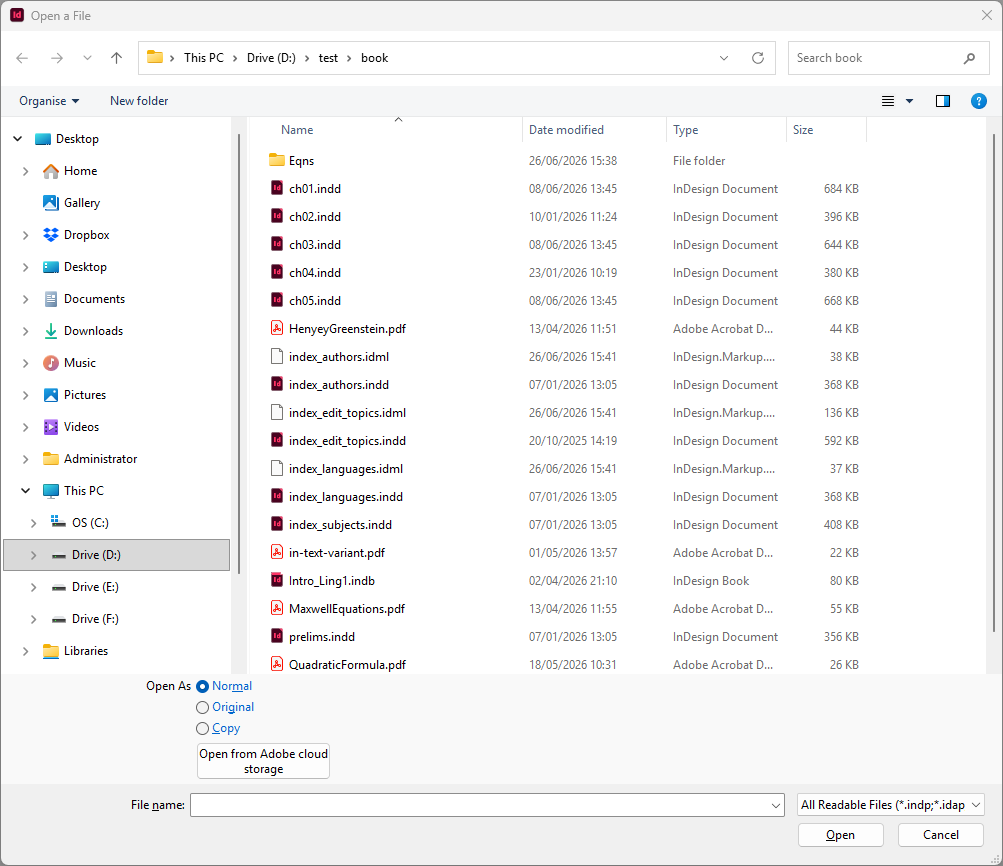
As you can see (in the bottom right of the dialog shown in the screenshot) InDesign defaults to All Readable Files. Unfortunately, you can’t change this in the dialog. If you want to see just InDesign files, you’ll have to click the dropdown and select InDesign.
However, a simple script can show the operating system’s file Open dialog and filter the displayed file list. The script shows just INDD and INDB files. The file list looks much clearer now:
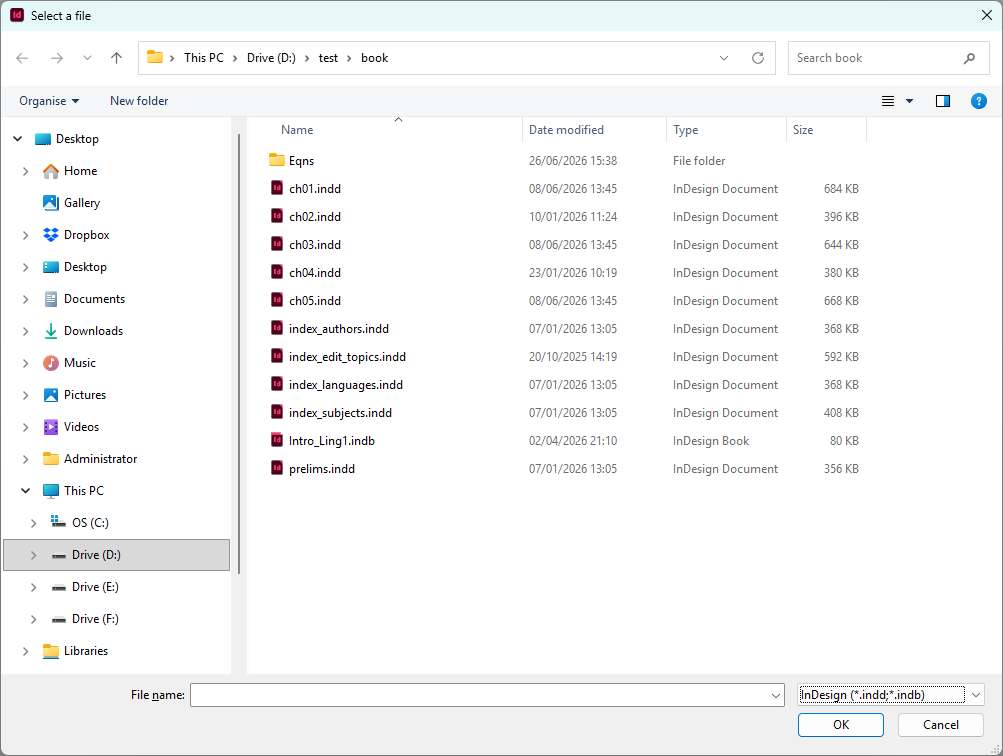
You can assign the Ctrl+O shortcut to this script in the Keyboard Shortcut editor (Edit > Keyboard shortcuts) so that the script takes over InDesign’s Open… function.
Customising the filter
It’s easy to customise the filter used in the script. To do so, open the script in a text editor. The second line of the script is:
var mask = 'InDesign:*.indd;*.indb';If you want to add e.g. IDML to the filter, change this line to
var mask = 'InDesign:*.indd;*.indb';*.idml';You can add as many InDesign file types as you like.
The above examples create a single-item dropdown. To create a multi-line filter, separate the items with a comma. For example, this mask:
var mask = 'InDesign:*.indd;*.indb, Graphs:*.pdf;*.svg';is shown in the dialog as follows:
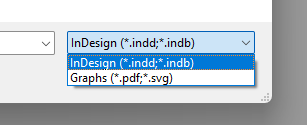
After making a change in the script file, make sure to save it as a plain text file.
See Peter demonstrate this script here.
Peter Kahrel Script Repository
Hosted as a community service, and with deep appreciation, by CreativePro.com
Scripts by Topic | Script Index
Basic Script Installation and Use
How to Modify or Configure These Scripts
Resources for Scripting and Publishing Automation
About This Repository
Contact Peter Kahrel
Note to users: You run scripts at your own risk: CreativePro and the author accept no liability for anything that may be caused by any of these scripts. Always take the necessary precautions. We encourage you to save backups and test scripts on copies of your documents.
This article was last modified on September 23, 2026
This article was first published on September 6, 2026
Commenting is easier and faster when you're logged in!

Recommended for you
A Script to Round off Size and Position Values in InDesign
Instantly clean up "messy" values by rounding them off to the nearest whole poin...
Skip Style: Format First Lines in Index Sections
Apply a paragraph style to index entries that start a new letter. Optionally ins...

Interview with Joy Pollard, Designer and Adobe Certified Professional
Learn how roller derby, astronomy, and theater influenced one designer’s journey...