




This InDesign tip was sent to Tip of the Week email subscribers on March 21, 2019.

Sign up now and every week you’ll get a new tip, keyboard shortcut, and roundups of new articles, plus exclusive deals sent right to your Inbox!
Just scroll down to the bottom of this page, enter your email address, and click Go! We’ll take care of the rest. Now, on with the tip!
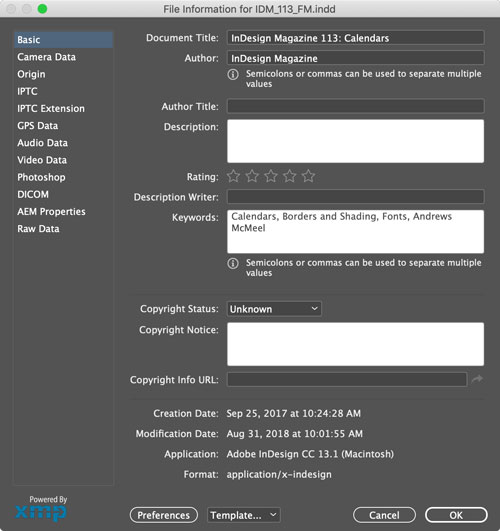
You can add metadata to your InDesign files with File > File Info, and then search for your documents better, based on that metadata, in Bridge. The metadata will also show up in exported PDF files.
This article was last modified on July 7, 2021
This article was first published on March 26, 2019
Commenting is easier and faster when you're logged in!

Recommended for you

Gathering Video Assets for Premiere Projects
Import, acquire, animate, and use AI to generate video content for Premiere

Mapping Paragraph Styles to PDF Tags in InDesign
Map Paragraph Styles in your InDesign document to the proper tags for accessible...
How to Add Copyright Info to a PDF in Acrobat
Add metadata and copyright information to your intellectual property with Chad C...