




In this week’s CreativePro video, Jole Simmons shows off a trick to quickly clean up and arrange the items on your Powerpoint slides. Taking from the Three Minute MAX session at CreativePro Week 2019, Jole demos how to quickly change a messy collection of images into well laid-out slides.
New videos every Tuesday on our CreativePro YouTube channel. Be sure to subscribe so you don’t miss any!
This article was last modified on August 29, 2025
This article was first published on September 4, 2019
Commenting is easier and faster when you're logged in!

Recommended for you

CreativePro Video: Better Auto Color Correction in Photoshop
In this week’s CreativePro video, Jesús Ramirez demos how to get better automati...

InDesign How-to Video: Control Layer Order
In this week’s InDesignSecrets video, Mike Rankin explains how to control the or...
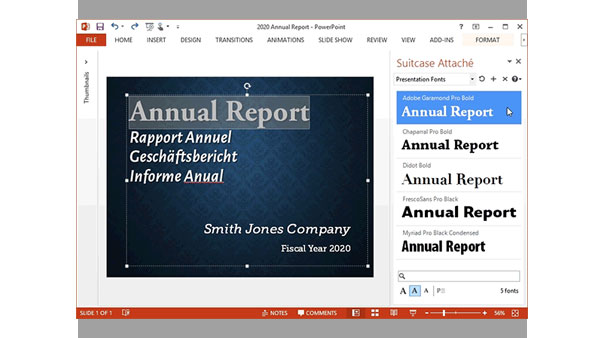
Extensis Launches Next Generation Font Menu for Microsoft Word and PowerPoint
PORTLAND, Ore.—February 18, 2015—Extensis® today announced Suitcase Attaché™, a...