



Here’s a quick design tip on logo design from issue 44 of Before&After Magazine.
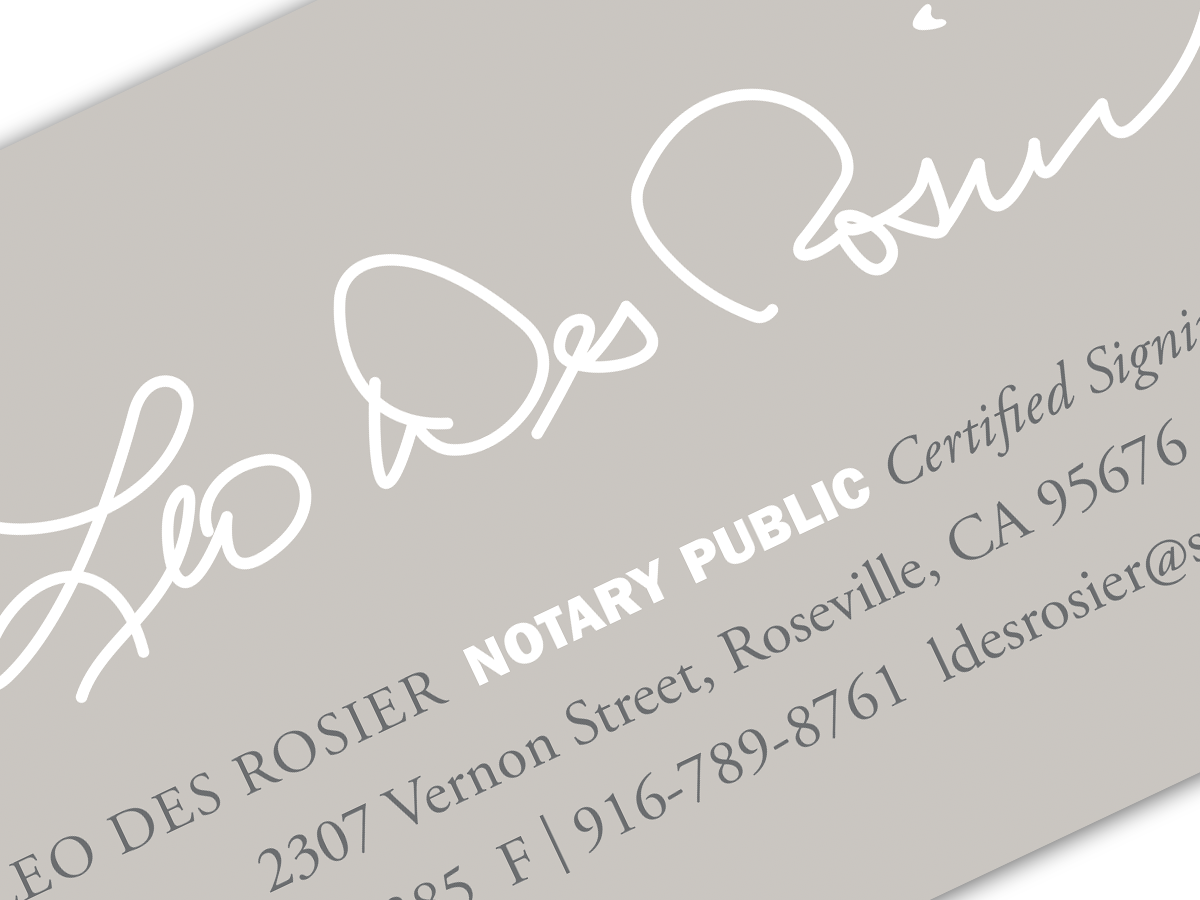
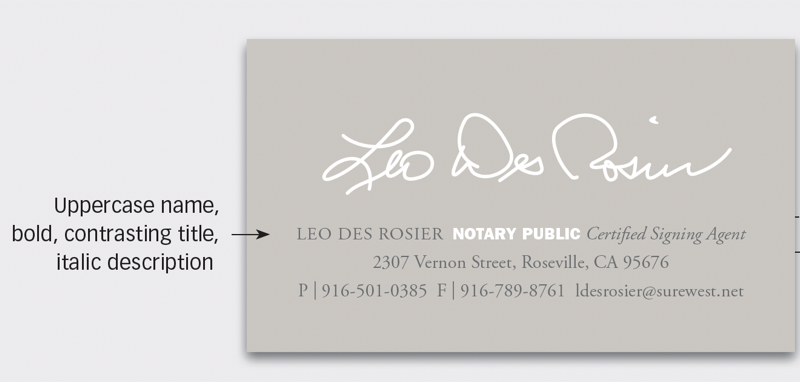
Is anything more graphically unique than your signature? It’s like no other. So if you have a business or project that’s an extension of you—a notary public is a good candidate—why not use your signature as its logo? Here’s one possibility.
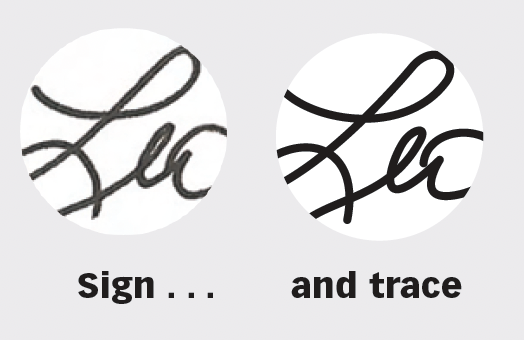
A signature logo is easy to make. Just sign your name, scan it, then trace it with the Pen tool.
The result is lightly stylized and can’t be forged without detection. White on gray—or a color of your choice—adds artistry. Note the white title on the gray field here stands apart quietly.
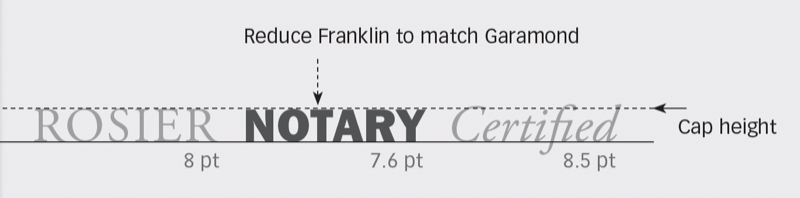
Strengthen the design by setting excellent type appropriately chosen. Here, classic Adobe Garamond conveys age, tradition, and dignity, while bold Franklin Gothic Heavy adds a highly visible counterpoint.
Because these are very different kinds of type, you’ll need to adjust their point sizes to make them the same visual size.
CreativePro members can download original content from Before&After Magazine, a beloved resource that taught a generation of newly minted digital designers how to design and communicate effectively with the written word. See our archive here.
© John McWade/Before&After Magazine, courtesy of Gaye Anne McWade.
This article was last modified on January 4, 2026
This article was first published on October 25, 2024
Commenting is easier and faster when you're logged in!

Recommended for you

Before&After: Design a Card the Easy Way
A photo and one block of type are all it takes to make a beautiful business card...
Before&After: Design From a Creative Brief
To know if you’ve reached a design goal, you must first know what the goal is. T...
Before&After: Gestalt Theory: Equilibrium
Equilibrium gives your design elements rest, stability, and permanence.