



Ever need to record the location of placed files, either for your own records or to send to someone else? You don’t have to manually type out a file path of a placed file in InDesign. All you have to do is visit the Links panel, select the file in the panel, and from the panel menu choose Copy Info > Copy Full Path (or Copy Platform Style Path).
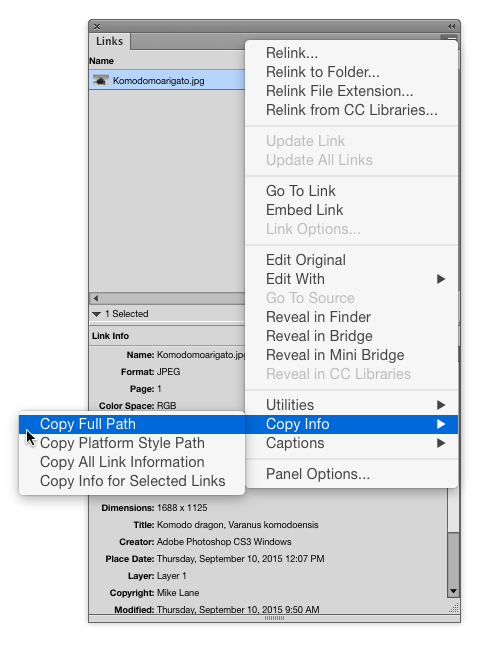
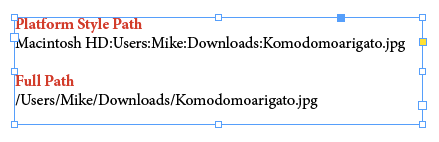
You can also access this command by right-clicking on the file in the panel or in the Link Info section of the panel.

This article was last modified on January 12, 2026
This article was first published on September 15, 2015
Commenting is easier and faster when you're logged in!

Recommended for you

TypeTalk: Timesaving Tips for Designing with Type, Part 2
Most design projects are done on a tight deadline. That fact, coupled with many...

Using Edit Original and Edit With in InDesign
Sign up for the InDesign tip of the week to get a new tip, roundups of new artic...

Photoshop Tip: Pasting into a Selection in Photoshop
Learn how to create layers with layer masks with Photoshop's Paste Into command.