



Did you ever have a folder full of images that you wanted to place into an InDesign document, so that each image was placed on a different page? In the latest InDesign Secrets video on lynda.com, David Blatner shows how to accomplish the task with a pair of scripts. The first is the Image Catalog script that comes with InDesign. It’s super simple to use, but it has a few limitations, which David lists in the video.
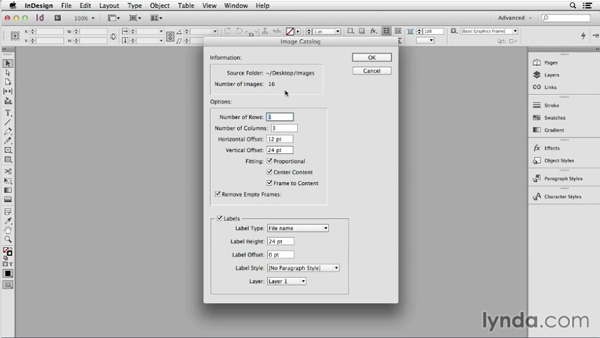
The second script is called ImagestoCSV, and you can download it from a related post here at InDesignSecrets. With this script you can use InDesign’s Data Merge function to place the images, and control the look of the image frames with an object style. Pretty nifty!
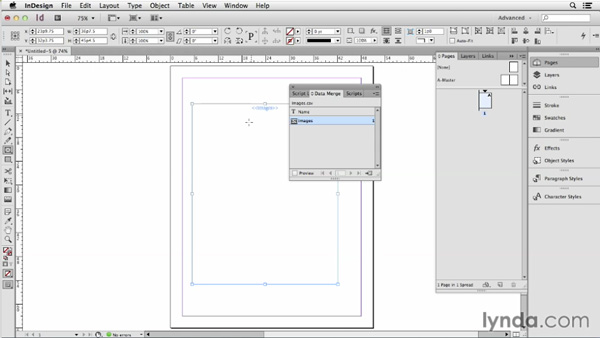
So check out the video and learn some cool time-saving tips for importing a bunch of images at once.
This article was last modified on March 5, 2025
This article was first published on August 4, 2014
Commenting is easier and faster when you're logged in!

Recommended for you

Tip of the Week: Edit Original
This tip was sent to Tip of the Week email subscribers on April 30, 2015. Sign u...
InDesign How-to Video: How to View Selected Text Color
In this week’s InDesignSecrets video, Mike Rankin shows us how to view the actua...

CreativePro Video: Using the Touch Type Tool in Illustrator
In this week’s CreativePro video, Mike Rankin demos how to adjust type with Illu...