




If you regularly create forms with InDesign you know what a pain it can be to populate fields like list boxes and combo boxes. There’s no built-in way to take a list of items and feed it into a form field. So, most folks have to deal with the drudgery of adding items one at a time in the Buttons and Forms panel.
Fortunately, there’s a much faster and easier way, thanks to Keith Gilbert. He wrote a script that can populate list boxes and combo boxes with paragraphs of text from a text frame. So, just head over to the scripts page at Gilbert Consulting and download the script called Populate Drop-Down. Install the script. Then in your InDesign document, select the text frame containing the items you want as choices in your form field, along with the field itself, and run the script.

Voila! The field is instantly populated with the text from the frame and the frame itself is deleted. How I love scripts that tidy up after themselves!
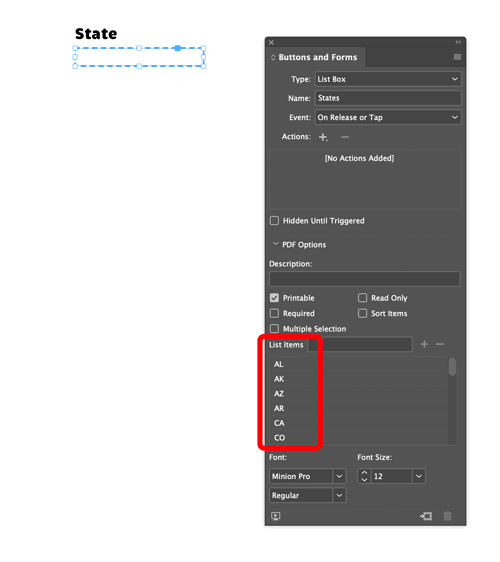
If you need to add some items later on, put them in a new text frame and repeat the process. The script is free to download and use but if you find it saves you time and money, consider expressing your gratitude via Keith’s link at buymeacoffee.com.
Populating Form Fields from a Text File
Got your list of items in a text file? No problem, instead of Keith’s script, use the ComboMambo script from Chuck Weger.
This article was last modified on March 18, 2022
This article was first published on March 14, 2022
Commenting is easier and faster when you're logged in!

Recommended for you

Tip of the Week: File Info Helps You Find It Faster
This InDesign tip was sent to Tip of the Week email subscribers on March 21, 201...
InDesign How-to Video: Working With Ruler Guides
In this week’s InDesignSecrets video, Anne-Marie Concepción shows us how to put...
InReview: MyDataMerge
Well-thought-out app picks up where InDesign’s DataMerge features leave off.