



Here’s a little tip or two about InDesign to EPUB text formatting that you might find useful if you’re dealing with scaled text.
Scaling applied to a text frame only affects EPUB text formatting if you set your scaling preferences to Apply to Content prior to scaling the frame:

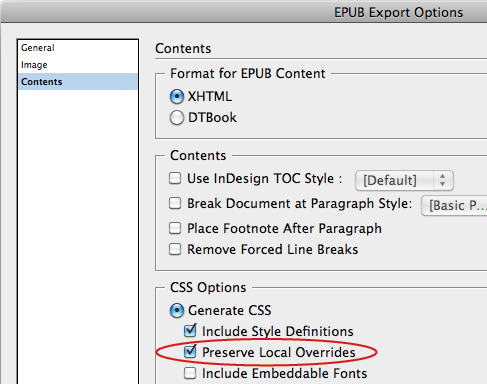
and Preserve Local Overrides in the EPUB export dialog:
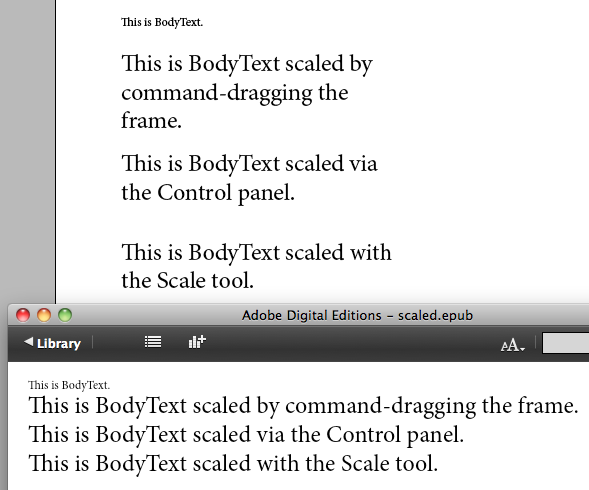
This holds true, whether the text was scaled by cmd/ctrl dragging a text frame, changing the scale values in the Control panel, or using the Scale tool.
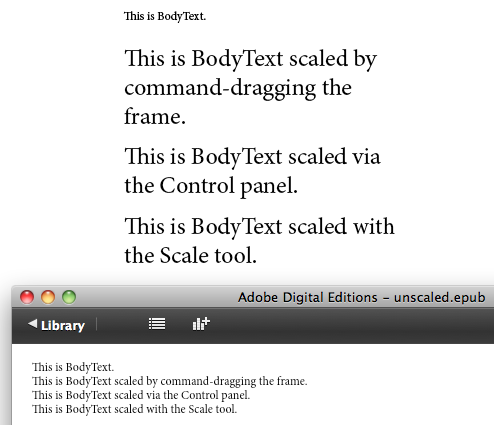
All other combinations of the scaling preference and the export preference result in unscaled text in the EPUB.

If the text has been scaled unequally, the highest scaling value wins. For example, if you scale text 200% horizontally and 500% vertically, the text in the EPUB will be scaled 500% in both directions.

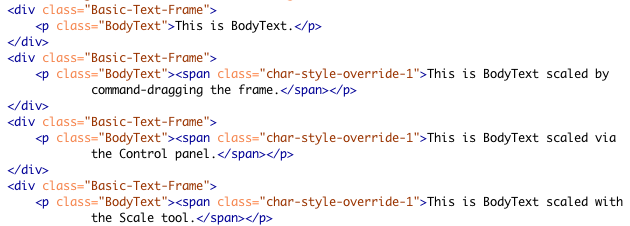
You can take a peek at the CSS to confirm this.
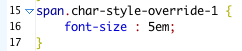
This seems like a fair compromise because I don’t think there’s a way to achieve unequal scaling of horizontal and vertical in the CSS.
It’s also interesting to note that scaling applied by a character style never makes it into EPUB. For example, if you have a character style that scales 200% H+V, that scaling is not reflected in the EPUB.
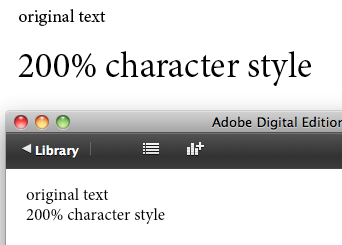
In the CSS, you can see why. The declaration for the character styled span is empty.

If you want that scaling to come out in the EPUB, you have to change the character style to apply a fixed point size to the text.

Which is reflected in the CSS.

These little scenarios might not keep you awake at night, but tuck them in the back of your mind for the day when you can’t figure out why the text in a cleanly styled InDesign document abruptly changes size when you export to EPUB.
This article was last modified on December 21, 2021
This article was first published on February 17, 2012
Commenting is easier and faster when you're logged in!

Recommended for you

Tip of the Week: Automatic Article Arrangement
This tip was sent to Tip of the Week email subscribers on July 24, 2014. Sign up...
InDesign Magazine Issue 72: InDesign to Kindle
We’re happy to announce that InDesign Magazine Issue 72 (April, 2015) is now ava...

This Week in InDesign Articles, Number 20
The tablet is... almost here? here? Whatever the case, you need to check out the...