



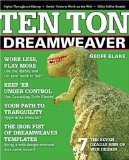

For years, Web designers have wrestled with the fact that HTML wasn’t built to handle page layout. Early on, innovative designers began using HTML tables as a way to build a grid of rows and columns on a page. Tables did control a page’s layout, but maintaining and updating pages was a real pain.
With the development of Dreamweaver’s layers, controlling and maintaining page layout has gotten much easier. Anything you can normally place directly on a page — text, graphics, Flash movies, etc. — can sit inside a layer. You then position the layers on your page by dragging and dropping them. By using layers to handle page design, you can essentially lock down your layout.
This excerpt will show you how to build a basic page layout using Dreamweaver’s layers. Then you’ll see how to control and manipulate your layout. We’ve posted this excerpt as a PDF file. To open the PDF file in your Web browser, click "Layers." You can also download the PDF to your machine for later viewing.
To open the PDF, you’ll need a full version of Adobe Acrobat (6 or higher) or the Adobe Reader, which you can download here:
 .
.To learn how to configure your browser for viewing PDF files, see the Adobe Reader tech support page.
Excerpted from Ten Ton Dreamweaver by Geoff Blake. Copyright © 2006 Geoff Blake. Used with permission of Pearson Education, Inc. and Peachpit Press.
This article was last modified on January 8, 2023
This article was first published on May 8, 2006
Commenting is easier and faster when you're logged in!
Loading comments...

Recommended for you
Article
How to Make Motion Look Realistic in Premiere
Create a convincing animation in Premiere using the Transform effect.

Article
Sort and Combine Cross References
Unlike subtopics, which InDesign sorts, cross-references are printed in the orde...