




I’m currently working on a complex manual regarding a marine electrical system. This particular manual has many similarities to three other manuals I have done in the past, but it’s not exactly like any one of them. When I’m working on a project like this, I find it helpful to keep several of the previous documents open for reference. But since all the documents look so much alike, there have been times when I’ve lost track of which one was my “working” document, and I ended up editing the wrong one.
But today I came up with a way to distinguish between the working document and the reference documents. I simply change the CMYK values of thePaper color swatch. (To do this, double-click on the Paper swatch in the Swatches panel.)

Paper: White
I edited the Paper swatch for each of the three reference documents, making them appear blue, pink, and yellow onscreen.
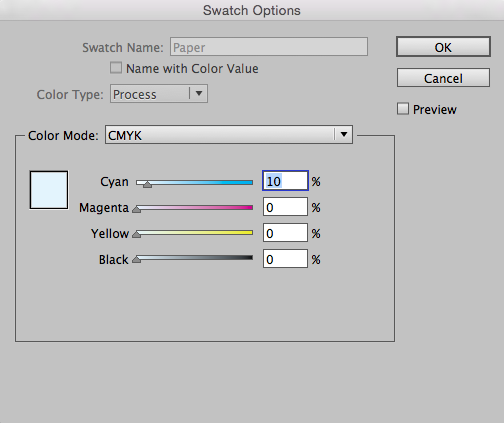
Paper: Blue

Paper: Pink
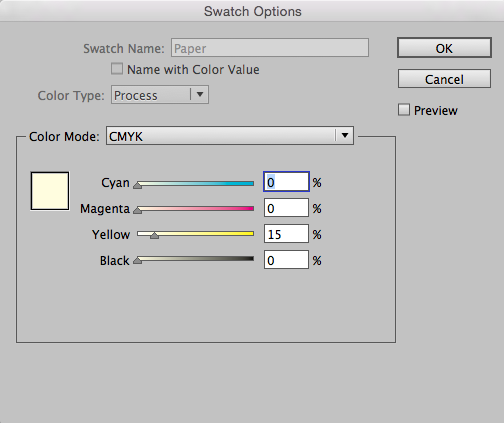
Paper: Yellow
Now, when I toggle between the three documents, I’ll never mistake any of them for my working document.

This article was last modified on July 25, 2019
This article was first published on August 21, 2017
Commenting is easier and faster when you're logged in!

Recommended for you

Making Sure Blackout Redactions Work So You Cannot See Through Them
Have you ever placed a black box over something, trying to blot out whatever was...

How to Create and Swap Colors the Smart Way in InDesign
Learn how to easily create colors from scratch in InDesign and to swap out exist...
InDesign Basics: Working with Swatches
Swatches make using and modifying colors in InDesign easy and efficient. Learn h...