




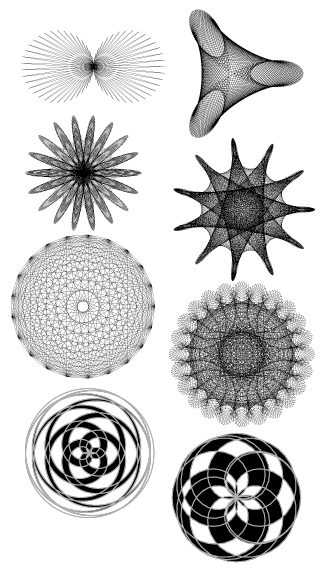
I showed a little script in my Macworld Expo class last week and people said “whoa!” so I said I’d post it here. This was written by Olav Martin Kvern (Ole to his friends, which means pretty much everyone), when we were working on Real World InDesign.
(In fact, I’m having beer with Ole and Bob Bringhurst tomorrow, so that’s even more reason for me to post this now.)
The script allows you to create spirograph-like patterns extremely easily from within InDesign. It’s not spirograph exactly; rather, it’s an algorithm called NINA based on some code that Matt Freedman came up with at the University of Washington. (NINA stands for NINA Is Not an Acronym, proving once again that codes have the driest of humor.)
Anyway, I mentioned this script in the comments on this blog post about making snowflakes, but I figured I’d better bring it to light here in its own blog post, because it’s just so dang cool.
To use the script:
- Download the script here, unzip it, and install it.
- Drag the corner, where the rulers intersect, to someplace on the page. This sets the 0,0 point on the page, and is where the center of the pattern will be.
- Run the script by double-clicking on it in the Scripts panel.
- Fill in the values. I cannot tell you what to type here; I don’t even know what these numbers do! Play with it.
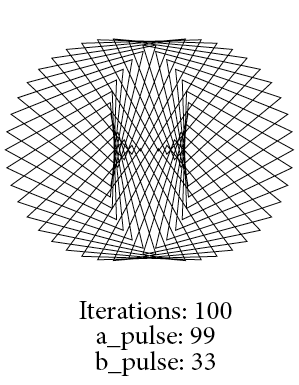
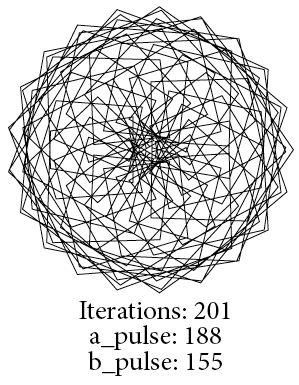
That’s it. Here are a few more examples that I came up with. Enjoy!


This article was last modified on December 21, 2021
This article was first published on February 2, 2012
Commenting is easier and faster when you're logged in!

Recommended for you

Disney-Inspired Creative Assets
Remember how excited you’d get when the latest ice-bound Disney adventure came t...
Create a Reusable Art Deco Pattern Brush in Adobe Illustrator
One of Illustrator’s greatest strengths is the ability to easily make reusable d...

How to Copy Shape Formatting in Photoshop
The easy way to reuse fill and stroke formatting applied to a shape layers in Ph...