




Using the same layout for a print and digital version of a project? There are plenty of challenges to overcome in that scenario, one of which is how to deal with web addresses. In the print version, you need to tell your audience the full address to enter in their browsers. But in the digital version, that’s unnecessary. All you want is a simple hyperlink. Hmm, two versions of text in one layout…sounds like the perfect time to use conditional text!
Open the Conditional Text panel (Window > Type & Tables > Conditional Text). In the panel, create two new conditions, one for the print job and the other for the digital product.

Create two versions of the text about the link. Include the full URL in the print version, and create a live hyperlink in the digital one (Keith Gilbert’s script for automating the production of hyperlinks from URLs may help with this task).
Assign the conditions to the appropriate text. Find/Change might be able to help you with this job. Search for text styled with your hyperlink style and apply the web/digital condition.
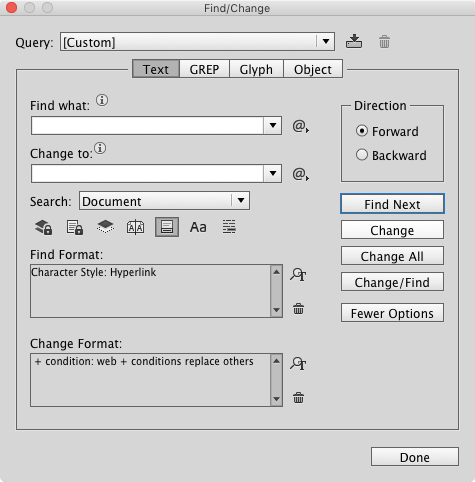
Then search for your URLs and apply the print condition. If you’re dealing one URL (or just a few), search for the exact text.
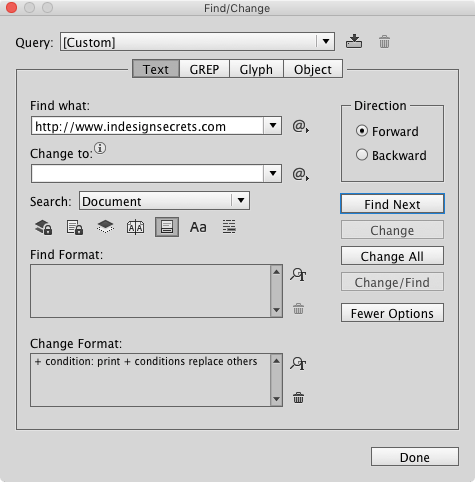
If you’re searching for many URLs, then you need a GREP search. And GREP expressions for finding URLs are like bellybuttons. Everyone’s got one. None of them is perfect.
You could start with this one by John Gruber and see if it works for you. And no, I will not be explaining how it works ;)
(?i)((?:[a-z][\w-]+:(?:/{1,3}|[a-z0-9%])|(http|ftp|www)\d{0,3}[.]|[a-z0-9.\-]+[.][a-z]{2,4}/)(?:[^()]+|\(([^()]+|(\([^()]+\)))*\))+(?:\(([^()]+|(\([^()]+\)))*\)|[^`!()\[\]{};:??.,?«»????]))
When you’re working on the print version, hide the digital condition, and vice versa.
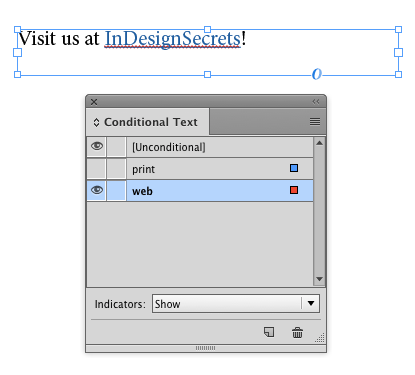

At output time, double-check that the right condition is showing, and you’re good to go.
This article was last modified on June 29, 2023
This article was first published on March 22, 2017
Commenting is easier and faster when you're logged in!

Recommended for you

EPUB Accessibility Updates in InDesign 2026
InDesign 2026 (version 21.0) offers significant upgrades for accessible EPUB pro...

GREP Style Report
Print a report of all GREP styles defined in a document's paragraph styles (CS4...

Interview with Adam Jury, GREP Expert
Q&A with Adam Jury, who is presenting at CreativePro Week 2025