



This tip was sent to Tip of the Week email subscribers on October 1, 2015.

Sign up now and every week you’ll get a new InDesign Tip of the Week and Keyboard Shortcut of the Week, along with roundups of new articles at InDesignSecrets and CreativePro, plus exclusive deals sent right to your Inbox!
Just scroll all the way down to the bottom of this page, enter your email address, and click Go! We’ll take care of the rest. Now, on with the tip!
Looking for a different way to present images besides the usual rectangular or elliptical frames? You can use a compound path as an image frame too. To make a compound path, select more than one path,
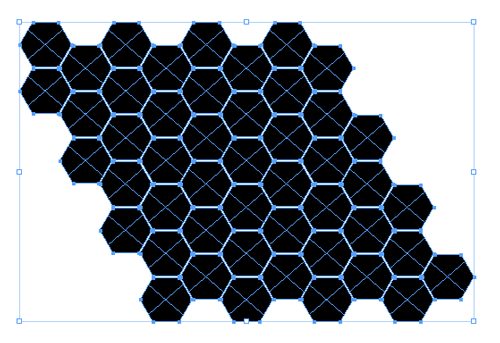
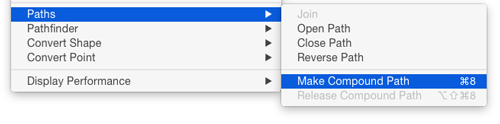
and choose Object > Paths > Make Compound Path.
Then just place your image into the compound path just as you would a regular path.

This article was last modified on July 25, 2019
This article was first published on October 6, 2015
Commenting is easier and faster when you're logged in!

Recommended for you

Tip of the Week: Resizing Frames with a Click
This tip was sent to Tip of the Week email subscribers on April 2, 2015. Sign up...

Quick Wins: Handling Images in InDesign
Use these five resources to boost your image-handling skills in InDesign
InDesign Tip: Making Custom Motion Paths for Animation
One of the coolest ways to customize animations in InDesign is to use any path i...