



This InDesign tip on how to file instant bug reports and feature requests was sent to Tip of the Week email subscribers on August 31, 2017.

Sign up now and every week you’ll get a new tip, keyboard shortcut, and roundups of new articles, plus exclusive deals sent right to your Inbox!
Just scroll down to the bottom of this page, enter your email address, and click Go! We’ll take care of the rest. Now, on with the tip!
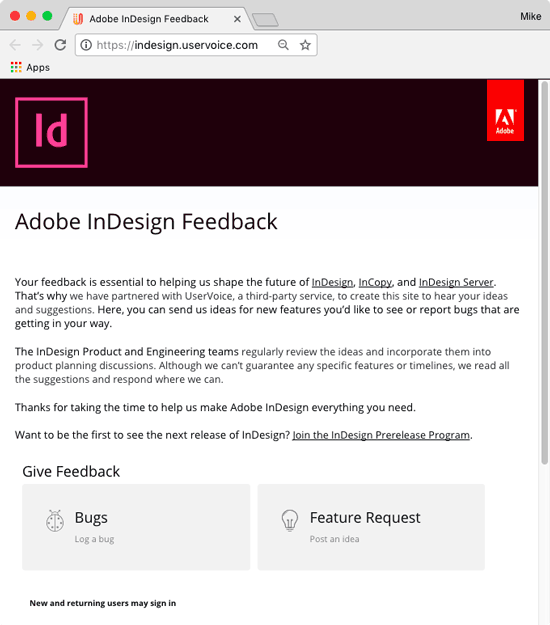
Recently, I wrote a post on the Adobe InDesign UserVoice page, where you can submit bugs, make feature requests, and vote on the ideas of other folks.
Here’s an incredibly fast and easy way to access the InDesign UserVoice page: use Quick Apply.
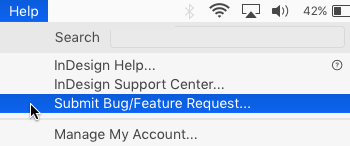
By default, launching menu commands is one of the things you can do with Quick Apply. And in the InDesign Help menu, there’s an item called Submit Bug/Feature Request. If you choose it, you will open the UserVoice page in your default browser.
So the next time you come across a bug or think of a feature request, just press Command+Return on the Mac or Ctr+Enter on Windows, and type “bug”.
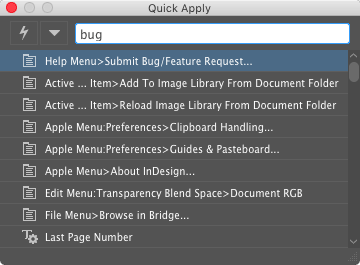
Then press Return or Enter again, and boom, you’re at the UserVoice page. Pretty slick!
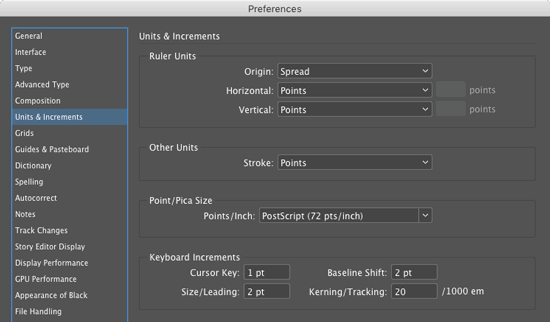
And don’t forget, you can use QuickApply to launch any other menu command or preference. For example, if you want to change your keyboard increments, launch QuickApply and type “inc”. The Units and Increments preference will be selected.
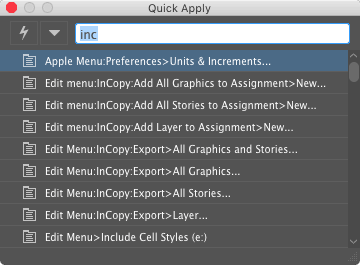
Then hit Enter or Return and you’ll be taken to the right pane in the Preferences dialog box.
Thanks to Anne-Marie Concepcion for the idea!
This article was last modified on July 20, 2021
This article was first published on September 5, 2017
Commenting is easier and faster when you're logged in!

Recommended for you

How to Reset the Recent Documents List in InDesign
With this InDesign tip, you can refresh the display of recent documents in the F...

Tip of the Week: Toggling Find/Change Direction
This tip was sent to Tip of the Week email subscribers on February 19, 2015. Sig...
Tip of the Week: Customizing Smart Guide Options
This tip was sent to Tip of the Week email subscribers on September 24, 2015. Si...