


Spread Rotation Menu Commands
Spreads can be rotated using some deeply embedded menu commands. A script can make these commands much more accessible.
Oops, you’re not logged in!
Log in or sign up for a free account.


This script is part of the Interface collection. See the full collection here.
Spread rotation is buried rather deeply in the menus, as you can see in the following screenshot:

This is very tedious, but fortunately it’s not too difficult to move those rotation items up into the main Pages context menu:

(For somewhat reason it’s not possible to get the 180° menu item there; probably a bug, but rotating 90 degrees twice makes up for that.)
When the spread was rotated, the Clear Rotation item is added:

Use
Run the script, linked below, just once. The change in the Pages context menu is stored with InDesign’s preferences when you exit InDesign and is reinstated next time you start InDesign. Only when you trash InDesign’s preferences (by starting it while holding down Alt+Ctrl+Del) will you need to run the script again.
Note: For another example of manipulating InDesign’s menu structure, see Make InDesign’s drawing tools more accessible
Version history
3 June 2017: The script now works in all localisations.
28 Jan. 2017: The script stopped working in some circumstances. Fixed.
27 Mar. 2016: Posted.
Peter Kahrel Script Repository
Hosted as a community service, and with deep appreciation, by CreativePro.com
Scripts by Topic | Script Index
Basic Script Installation and Use
How to Modify or Configure These Scripts
Resources for Scripting and Publishing Automation
About This Repository
Contact Peter Kahrel
Note to users: You run scripts at your own risk: CreativePro and the author accept no liability for anything that may be caused by any of these scripts. Always take the necessary precautions. We encourage you to save backups and test scripts on copies of your documents.
This article was last modified on September 30, 2026
This article was first published on January 29, 2026
Commenting is easier and faster when you're logged in!

Recommended for you
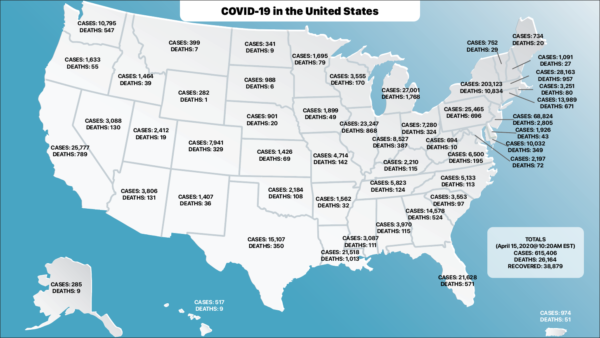
Using InDesign and XML to Visualize the COVID-19 Data
The COVID-19 Pandemic is something that has touched us all in one way or another...

How to Efficiently Set Up the Pages Panel in InDesign
Learn how to get the most out of InDesign’s pages panel with these best practice...