


Sort Parent Pages in InDesign with a Script
A script that makes it easy to keep your Pages panel neat and organized.


In InDesign, the only way to sort parent pages in the Pages panel is to drag them up and down. This is finicky: you need a steady hand. It’s easy accidentally to apply the parent spread you’re moving to another spread because the panel’s tolerance is near zero. That’s on Windows; on the Mac it’s even worse, apparently.
This is something you can probably live with (reluctantly) if your document has only a small handful of parent spreads. But if the document contains a lot of masters or if you have a lot of documents to process, then it’s more convenient to use the script described here.
To use the script, open a document and run the script from InDesign’s Scripts panel. It has no interface. When the script is done you see a copy of the document in a new tab with -fixed added to its name (so ch01.indd is copied to ch01-fixed.indd).
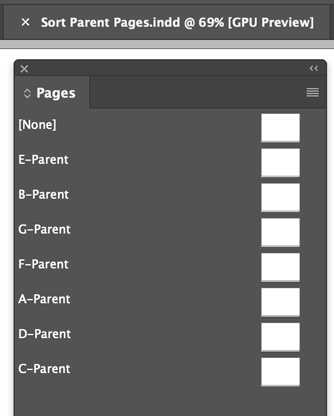
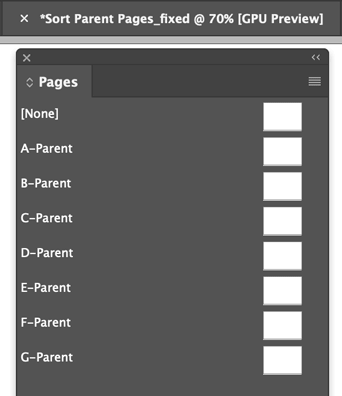
Note: The original document was not touched. The script exported the document to IDML, ordered the master spread in there, renamed the IDML, and opened it.
That’s essentially all there’s to it. If you’re not interested in the technical background you needn’t read further – just download the script, install it, and use it.
This article was last modified on June 26, 2025
This article was first published on October 18, 2024
Commenting is easier and faster when you're logged in!

Recommended for you

Gifts for (or from) Type Lovers
Get your holiday shopping started with Ilene Strizver's gift list of type-relate...

This Week in InDesign Articles, Number 46
If I could walk 500 miles, I would be the one who brought these articles to your...

How to Set Up Parent Pages in InDesign
Learn how to set up and use InDesign’s parent pages for consistency across multi...