




Free script sets table properties that cannot be controlled by InDesign table styles, including table width and row height.
Any time you find yourself repeating the same steps while working in software like InDesign, there’s probably an easier way. Years ago, someone got tired of applying the same characteristics to text (font, font style, size, etc.), so styles were created. Paragraph and Character Styles allow you to set multiple attributes to text with the click of a button. Likewise, Object Styles allow you to set a plethora of attributes to objects in your InDesign projects. In my case, I was working on a project that contained all kinds of scientific tables that needed to be set a specific way. Table Styles to the rescue!
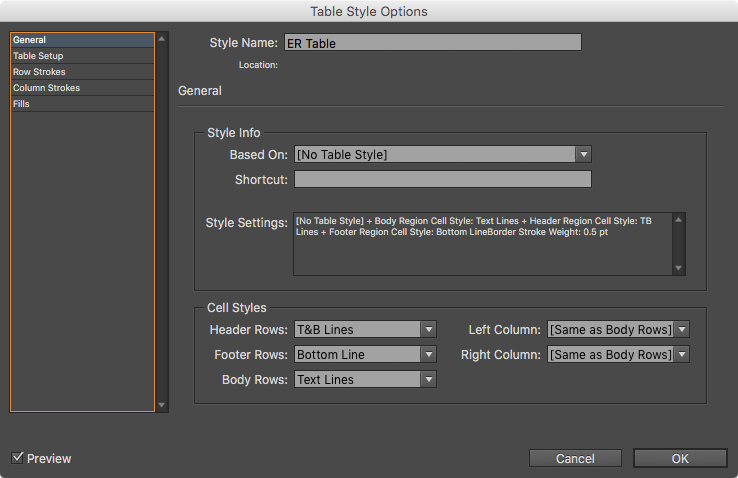
InDesign’s Table Styles let you set multiple options to any table, such as Row Strokes, Column Strokes, and Fills. They also let you choose which Cell Styles to use for Headers, Footers, and Body Rows.
Those Cell Styles let you choose which Paragraph Style you want applied to the text in the cell. You can also set other options, such as whether the cell has an inset, or uses diagonal lines.
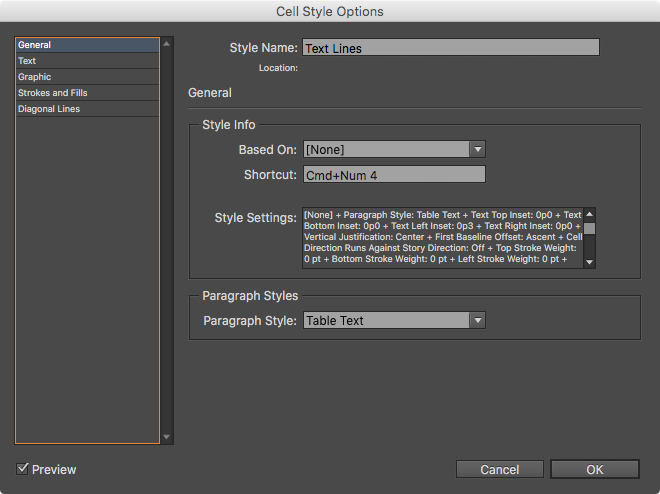
With all my Table and Cell Styles set, I was off to make quick work of the tables.
Or so I thought!
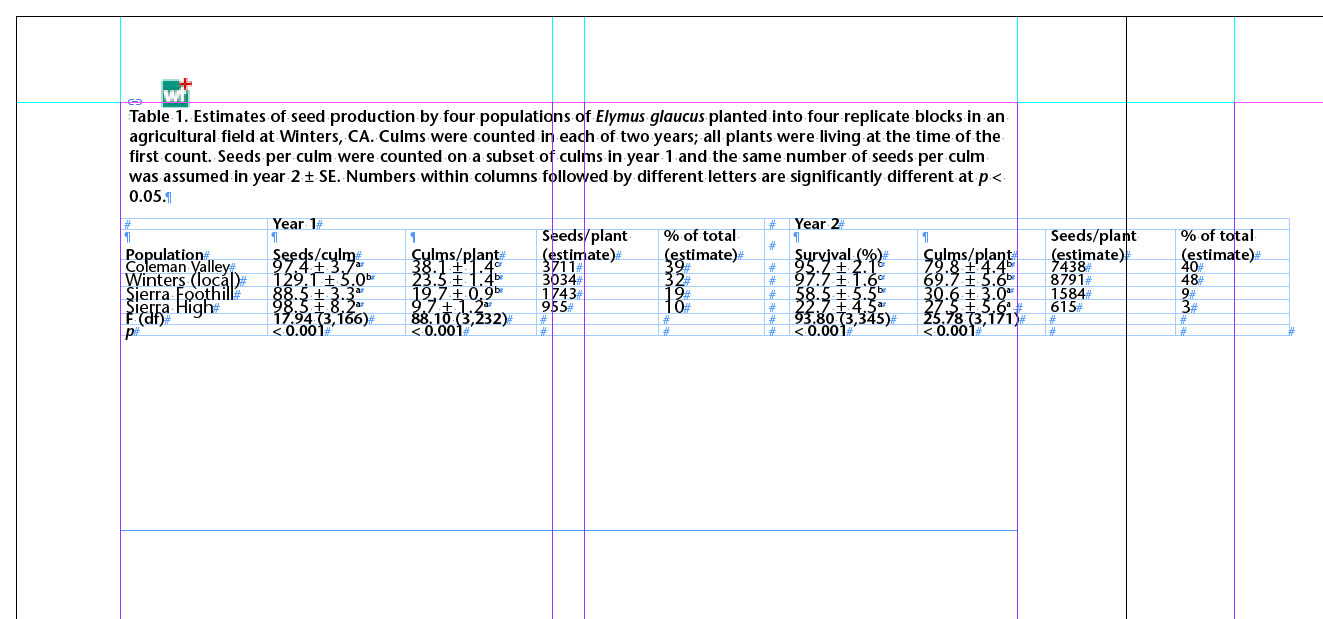
The tables I was working on were already done in Microsoft Word—I just needed to flow them into my template and finish the styling. The problem I encountered—the problem anyone encounters when they’re flowing tables that come from outside of InDesign—was that the table was always a different width than the text frame (in my case, almost always wider). I needed the tables to be the same width as the text frame, but there’s no way to set the width of a table in the Table Style. Likewise, I needed a specific height for the table rows. But again, there’s no way to set the height of cells in a Table Style, and with my Table Style applied, my rows were all squished together. Faced with the task of manually resizing the height and width of some 20 tables, and seeing that the built-in tools (Styles) weren’t going to help me, I figured the best way to tackle this repetitive task was with a script.
See also: Tackling Tables through Scripting and The Truth About Cell Styles
Tables Sized to Frame
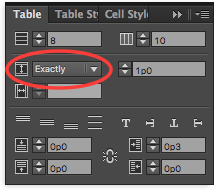
The Tables Sized to Frame.jsx script is a JavaScript that sets three aspects of a table that can’t be controlled by Styles: Table Width, the Row Height setting (At Least or Exactly), and the actual Row Height. The script works by resizing the columns of the table in equal measure so it is the width of the frame, the same as if you were to resize the table while holding the Shift Key. It sets the Row Height setting to “Exactly” and the measurement to 1 pica.
See below for instructions on how to download the script.
To install the script, download it and move the file to your Scripts folder found in Applications > Adobe InDesign CC 2015 > Scripts > Scripts Panel. To run the script, simply select the frame of your table and double-click the script name in your Scripts Panel and the table will be resized to the width of the frame and it’s Row Height settings set to Exactly 1 pica.
You can edit the script as needed if you don’t want the Row Height settings adjusted. To do so, once the script is installed in your Scripts folder, right-click on the script and select the Edit Script option. This will launch the ExtendScript Toolkit for writing and editing Java Scripts (don’t worry—what we’re about to do is super easy). Look for lines 56 and 57 in the script:
tables[i].rows.everyItem().autoGrow = false;
tables[i].rows.everyItem().height = 12;

These two lines control the Row Height adjustments. To disable these two settings, we will “comment out” the lines, effectively disabling them, by adding two forward slashes to the front of the lines:
// tables[i].rows.everyItem().autoGrow = false;
// tables[i].rows.everyItem().height = 12;
You’ll notice as soon as you do that, the lines turn green, indicating they are comments to the script. Save the script and you’re good to go—the only adjustment made will be to the width of the table.
While you can set the width of a text frame with Object Styles, there is unfortunately no way to set the width or height of a table using a style. Until those features are added to InDesign, the Tables Sized to Frame script may speed up the process of setting unruly tables.
Note: Special thanks to Peter Kahrel for his generosity with writing this script! If you are logged in with either a free or paid InDesignSecrets membership, the download link appears below.
Not a member yet? Sign up here!This article was last modified on April 8, 2023
This article was first published on February 18, 2016
Commenting is easier and faster when you're logged in!

Recommended for you

Words Hyphenating Wrong in InDesign
P.G. wrote: I am proofing an InDesign document, and it has some awful hyphenatio...
Who’s Using Snippets?
I’m curious who among you has found InDesign snippets to be a welcome addi...
Parentheses around page numbers in the Index panel
Ever wonder why some of your page numbers in the index panel are surrounded by p...