

The appeal of this extension for Adobe Photoshop, InDesign, and Illustrator CS5 can be summed up in one sentence: So many stock photo agencies, so little screen real estate.
There are scores of stock photo providers, and they’re all fighting for your attention. One of these agencies, Fotolia, has come up with a way to stand out that also saves you from opening a browser window to search for images. Instead, you search the Fotolia library from inside your Adobe apps.
You start by downloading and installing the free extension. Then you sign into your Fotolia account (that’s free, too) and choose two folders on your system where the extension will place comp and purchased images:

Now you’re set to search:

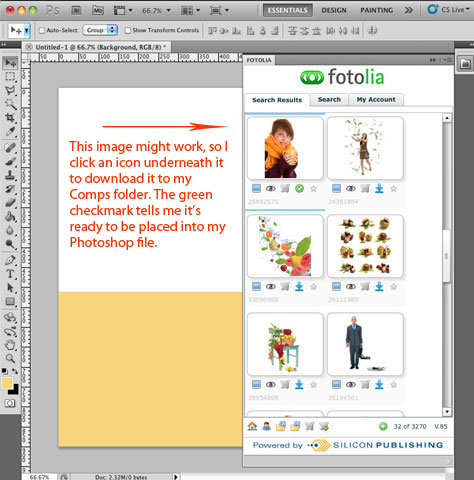
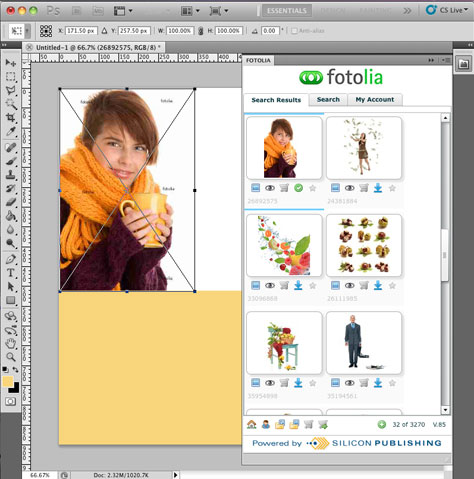
If your screen is as crammed with stuff as mine is, you’ll appreciate this new approach to searching for stock.
This article was last modified on January 6, 2023
This article was first published on October 26, 2011
Commenting is easier and faster when you're logged in!

Recommended for you
Smarter Thumbnails in Photoshop
Make Photoshop layer thumbnails clearer with one quick setting change.

The Peter Kahrel Script Repository Gets a CreativePro Makeover
Peter Kahrel is one of the most prolific and influential InDesign scripters of a...