



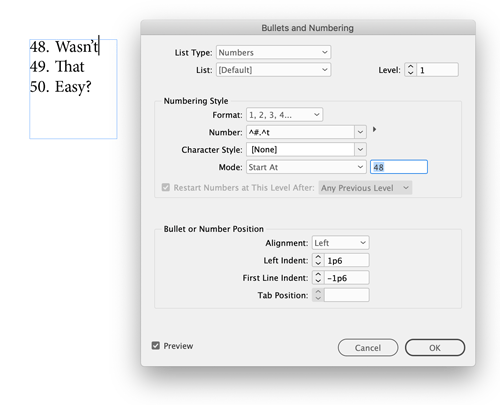
The fastest way to force an auto-numbered paragraph to restart at a custom number is to place your cursor in the paragraph you want to renumber and then Option/Alt-click the Numbered List icon in the Control panel. That opens the dialog box where you can enter any number you want in the Mode: Start At field. Enter your number, click the OK button, and the numbered list fixes itself.
This article was last modified on January 12, 2026
This article was first published on May 13, 2019
Commenting is easier and faster when you're logged in!

Recommended for you

5 Tips for Better Tables
Use these 5 quick tips to improve the appearance and usability of your InDesign...

Futuristic Fonts
Andrea Leksen and Charles Fadem explore the realm of type that evokes space, tec...