


Remove a Complex Background with One Click in Photoshop
Oops, you’re not logged in!
Log in or sign up for a free account.

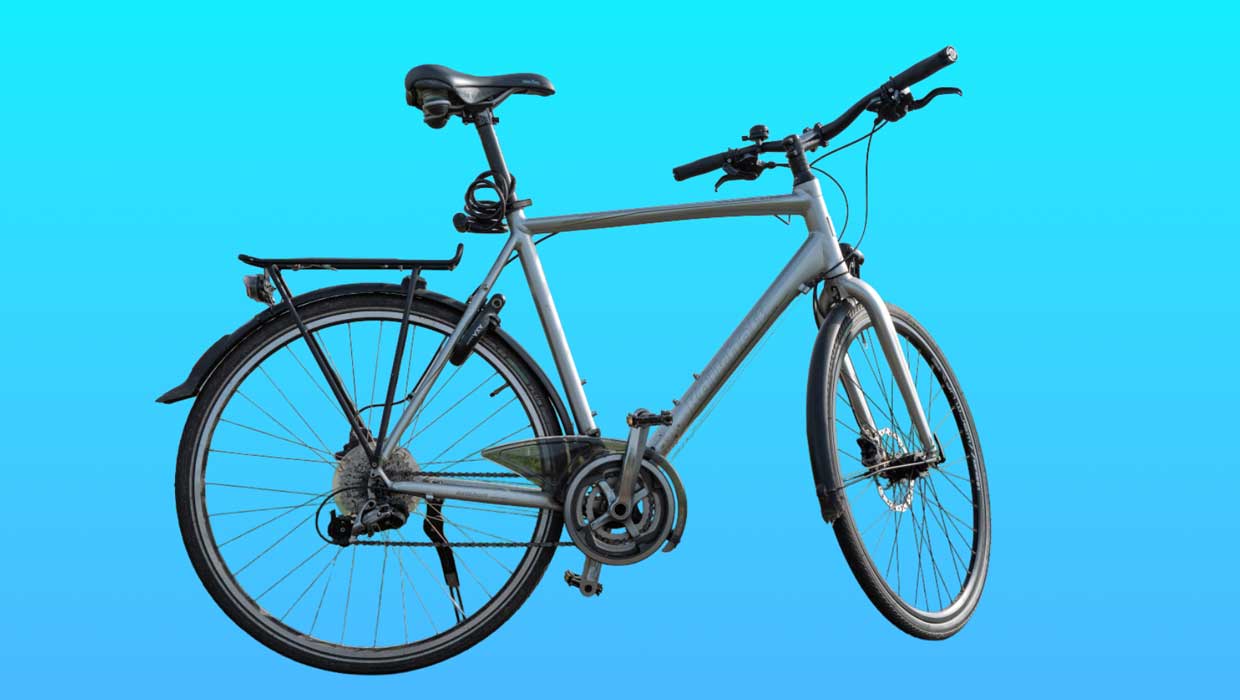
The foundation of great image editing is accurate selections, and the AI selection tools in Photoshop have become really good.
To get started, unlock the full power of AI selections by enabling the new cloud processing:
- Choose Photoshop > Settings > Image Processing (macOS) or Edit > Preferences > Image Processing (Windows).
- Choose Select Subject and Remove Background > Cloud (Detailed Results) (Figure 1).
- Click OK.
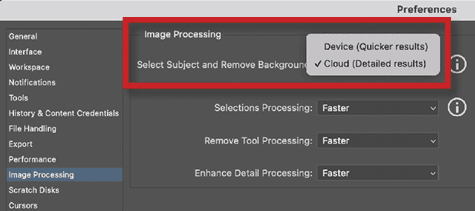
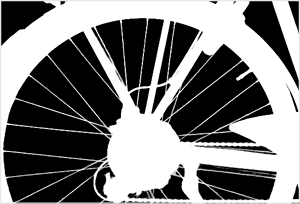
Now when you use Select Subject or Remove Background in the Contextual Task Bar, you’ll get dramatically better results, especially for complex details like bike spokes and hair.
Remove Background: One-click magic
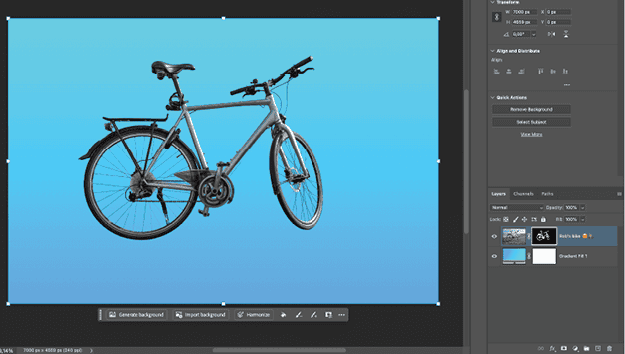
With cloud processing enabled, Remove Background becomes a one-click solution for most isolation needs. Simply select your layer, and click Remove Background in the Contextual Task Bar. The results are often so good that you won’t need any manual cleanup.
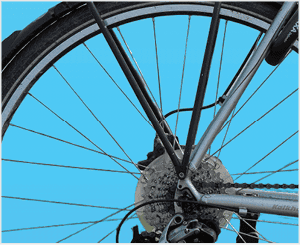
I recently tested Remove Background with a complex photo of my bicycle. Photoshop selected the spokes perfectly (Figures 2–4). Zoom in to check the details around tricky areas—you’ll be impressed.
This article was last modified on September 30, 2025
This article was first published on October 1, 2025
Commenting is easier and faster when you're logged in!

Recommended for you

Import PDF Comments
Maya P. Lim explores the environmental impact of print design work and sustainab...

TypeTalk: Two-Story Type
There are two forms of the letter A and two of the letter G—do you know what the...
Adobe CEO to Deliver Opening Keynote Address at AIIM on Demand Conference & Expo
Adobe Systems Incorporated (Nasdaq:ADBE) today announced Adobe CEO Bruce Chizen...