



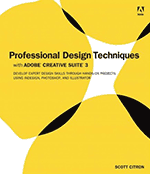
 Just a quick note to let you know about a new book that recently hit the bookshelves: Professional Design Techniques, by Scott Citron (2008 Peachpit Press) is a must-have book for anyone who needs to be a designer. Notice that I didn’t say, “anyone who is a designer” — but rather those of us who are often required to do design, but who aren’t classically trained. Using the Creative Suite tools (mostly InDesign), he shows how you can turn dreck into design, trash into templates, and [insert a word that connotes something unpleasant that begins with “a” here] into art.
The most shocking part of the book is that it’s not 2,800 pages. Rather, it’s a svelte little 300 page paperback that goes deep when it needs to, but doesn’t spend too much time when there are other references out there. By focusing on best practices of design, he can avoid a lot of the “choose this menu item and click here” that most computer books must cover. The TOC includes chapters on “Designing a Corporate Identity System,” “Creating Newsletters and Forms,” “Designing Magazines and Newspapers,” and “Designing Annual Reports.”
There are also other bonus materials that you can download once you own the book (you have to register) from peachpit.com/prodesignCS3.
By the way, Scott’s name should be familiar to you, as he often posts comments here, and he’s the chapter head of the InDesign User Group in New York City. You can see more of his work at scottcitrondesign.com.
This article was last modified on December 18, 2021
This article was first published on January 21, 2008
Commenting is easier and faster when you're logged in!

Recommended for you

InDesign Eye Candy, part 5: Blending a la Mode
What's black and white or red all over? Your document in a blender (mode).

What’s New With InDesign CC 2015.2
Adobe has released updates to several important Creative Cloud applications, inc...
Version Cue CS3 Disables Mac Firewalls
This isn’t InDesign news, but many of us are now installing InDesign as pa...