
News from Adobe MAX 2026
A quick breakdown of what's new in Photoshop, Illustrator, InDesign, and Firefly
At their annual MAX conference Adobe announced new AI-based tools and updates intended to redefine how designers build, adapt, and deliver creative work. Adobe is positioning these new offerings as tools that will reduce the friction of tedious formatting and file management, while freeing up more time for the actual craft of design. Here’s a quick breakdown of what’s new in Illustrator, InDesign, and the rapidly expanding Firefly ecosystem.
Photoshop
- Relight: Add and position up to three virtual light sources in an image and adjust their color, intensity, and size. (30 credits per generation)
- Generative Recompose: Adapt images to different aspect ratios by repositioning the main subject and related elements. (up to 60 credits)
- Generative Restyle: Regenerate an image in a different style with an adjustable slider for intensity. (80 credits per generation)
- Remove Tool Enhancements: After using the Remove tool you can click Enhance to remove related shadows, footprints, smoke/steam, and water ripples, etc.
- AI Assisted Editor: A simplified AI workspace for beginners.
- Customize placeholder text: Enter text in Type preferences to use instead of Lorem Ipsum.
- Quick Compare: Compare edits with a Before/After slider in the Tools panel.
Photoshop Beta
Looking further ahead, the following features are available in the beta version of Photoshop (via the Creative Cloud Desktop app).
- Convert to Text Layers: Extract editable text from flattened graphics or images.
- Camera Angles: Explore alternative viewpoints of an image using on-canvas controls to change the viewing angle.
- Mockups: Place a logo or artwork onto an image of a product
- Timelapse: Record your editing process to capture and share your workflow as an MP4 video.
- Remove Ambient Effects and Related Elements: Ambient effects clears out lens flares, haze, smoke, fog, or reflections while leaving the underlying objects untouched. Related elements removes things like shadows, splashes, footprints, etc.
- Third-Party AI Integration: Coming in 2027 via Model Context Protocol (MCP) integrations, you will be able to bring your own outside AI agents into Photoshop to automate tasks.
Illustrator
- AI Assistant: The AI Assistant can perform functions such as organizing and renaming layers, translating text across artboards, checking print readiness, and batch exporting assets into multiple formats. You can also save recurring workflows as reusable skills.
- Concept to Vector: Turn rough sketches and low-resolution images into vectors. Unlike the traditional Image Trace tool, Concept to Vector uses AI to interpret structural intent, clean up paths, and reduce noise from imperfect inputs.
- Generative Expand: You can now expand a vector graphic or entire artboard beyond its original borders. The generated artwork matches your original style and remains editable on separate layers.
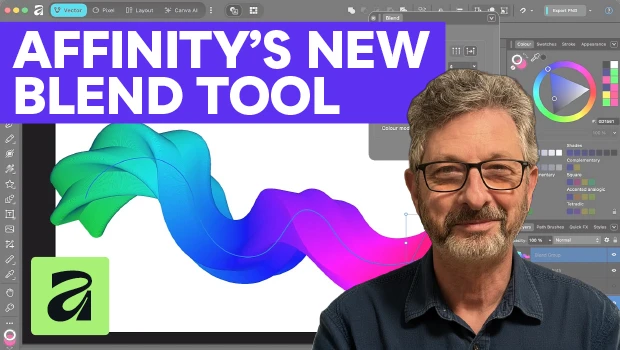
- Improved Blend Tool: Creating blends is now much more fluid thanks to a persistent control panel and on-canvas easing handles. You can drag handles directly on the artboard to control how quickly a blend speeds up or slows down, view live updates, and edit the spine after the blend is created.
- Refreshed Content Libraries: Go from a blank canvas to a finished piece faster with modernized starter assets. The refreshed libraries include scalable watercolor and cross-hatch brushes, subtle grit patterns, new graphic styles, and gradients.
InDesign
- Co-editing (Public Beta): This feature will allow multiple designers to work simultaneously on a layout without overwriting each other’s changes. Icons show who is editing what in real time.
- Auto-size in Flex Layout: Flex Layout can now resizes text frames automatically to fit the copy within them.
- AI Assistant: Use AI to automate production-oriented tasks such as creating document variations, checking for print-readiness, and applying global changes.
- Check Document and Rewrite: A new panel can be used to flag editorial and accessibility errors. It flags grammar issues, inconsistent terminology, and missing alt text, and more.
- Little things mean a lot: Yes, there are some welcome new features that don’t involve AI, including native Windows ARM support, an enhanced font browser (with font libraries), a searchable Scripts panel, and the ability to export selected pages directly from the Pages panel.
Adobe Firefly
Adobe is pushing Firefly beyond a tool for image generation and turning it into a centralized design hub with two major beta platforms.
Firefly Design (public beta) Touted as the first multimedia design platform, Firefly Design allows you to combine vector, 3D, motion, and print formats on a single web-based canvas without switching apps. Here are some of the use cases:
- Dimensional Logos: You can extrude standard typography into 3D or build a logo from vector path.
- Multi-Format Campaigns: Resize one design into social formats, banners, and press-ready files, or turn a static headline into a motion clip.
- Client Delivery: Clients interact with a curated portal where you can export exact deliverables like print PDFs, web PNGs, and editable SVGs all from the same central canvas.
Firefly Builder (private beta) Firefly Builder is Adobe’s new design-to-code solution for creating interactive sites, apps, and prototypes.
- Design Control: Generations are governed by a strict design system. If you edit a color, font, or component in one place, it globally updates everywhere across the project.
- Editable Output: You can prompt for a first pass, then select individual elements to manually edit text, styling, and sizing while the canvas live-renders the results.
- Live Prototypes: Maintain a complete version history to compare ideas side-by-side, share live prototype links with clients, and hand off production-ready code to developers.
This article was last modified on November 12, 2026
This article was first published on November 12, 2026
Commenting is easier and faster when you're logged in!

Recommended for you
Create Parallax Transitions in PowerPoint
Create dramatic 3D scenes with Stephy Hogan using Morph.
Making Tables Accessible
Learn how to correctly tag complex PDF table headers for screen readers with Dax...