


Photoshop Layer Styles: “One-Click” Flexibility


Scaling the File

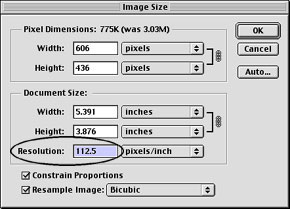
To repurpose the composition for the Web, a duplicate can be resized. Resizing by changing the “Resolution” (not the “Width” or “Height”) keeps all the Styles in proportion.
Rollover Styles

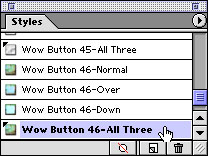
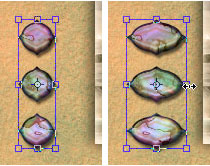
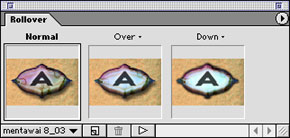
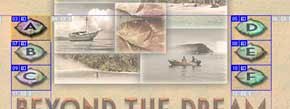
In ImageReady, with one click in the Styles palette, you can apply combined Rollover Styles. Like other Styles, Rollover Styles conform to the shape of the layer content, so it’s simple to transform the button shape (as here from circular to oval). Combined Rollover Styles include interactivity for states such as Normal, Over, and Down. Automatic layer-based slicing ensures that the active area of the button conforms to the current button shape.
Authors Linnea Dayton and Jack Davis co-authored “The Photoshop 6 Wow! Book“, and previously teamed up to produce both the Photoshop 4 and Photoshop 5.0/5.5 editions of this handy reference. Dayton is co-author of the Verbum book series; Davis is the principal of JHDavis Design and art director of Presto Studios.
This article was last modified on January 3, 2023
This article was first published on February 6, 2002
Commenting is easier and faster when you're logged in!

Recommended for you

Scanning Around With Gene: Part 2 of That '70s Type!
Part 1 of That ’70s Type! Setting type is like re-decorating your home: yo...

Review: Photoshop Fix
Photoshop Fix is Adobe’s latest venture into mobile image manipulation. Av...

10 Best Apps to Improve Your iPhone Photos
The cameras and processing power in today’s smartphones have come a long way sin...