


Photoshop Layer Styles: “One-Click” Flexibility


Scaling the File

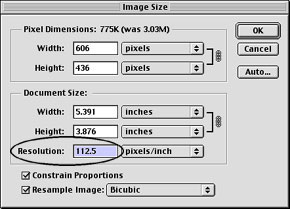
To repurpose the composition for the Web, a duplicate can be resized. Resizing by changing the “Resolution” (not the “Width” or “Height”) keeps all the Styles in proportion.
Rollover Styles
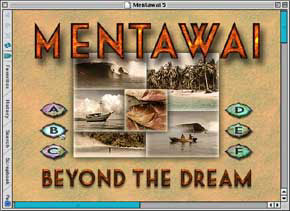
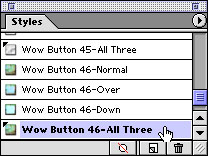
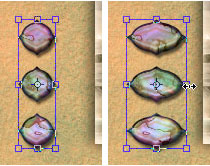
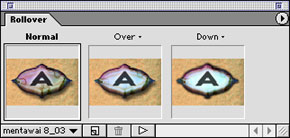
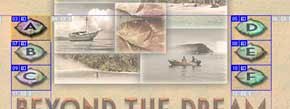
In ImageReady, with one click in the Styles palette, you can apply combined Rollover Styles. Like other Styles, Rollover Styles conform to the shape of the layer content, so it’s simple to transform the button shape (as here from circular to oval). Combined Rollover Styles include interactivity for states such as Normal, Over, and Down. Automatic layer-based slicing ensures that the active area of the button conforms to the current button shape.
Authors Linnea Dayton and Jack Davis co-authored “The Photoshop 6 Wow! Book“, and previously teamed up to produce both the Photoshop 4 and Photoshop 5.0/5.5 editions of this handy reference. Dayton is co-author of the Verbum book series; Davis is the principal of JHDavis Design and art director of Presto Studios.
This article was last modified on January 3, 2023
This article was first published on February 6, 2002
Commenting is easier and faster when you're logged in!

Recommended for you

Using Photoshop’s Generative Fill to Remove Objects
Learn how to simply remove items from an image in Photoshop, without extra conte...

How to Adjust Colors in Photoshop Using Hue and Saturation
Learn how to manipulate an image’s colors using Photoshop’s Hue and Saturation s...
How to Adjust Colors Using Photoshop’s Contextual Task Bar
Learn how to use the Photoshop Adjust Colors feature to make quick, non-destruct...