


Photoshop How-To: Painting with Light


This story is taken from “Adobe Photoshop Master Class: John Paul Caponigro, Second Edition.”
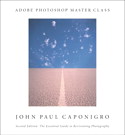
John Paul Caponigro is a photographer and Photoshop artist who combines deep technical knowledge with stunning artistic sensibility. His images in which massive rocks float above desolate plains are surreal yet grounded in real-world photographic detail. As a photographer Caponigro know that the way light falls on an object is key to giving a scene the aura of truth.
Caponigro has perfected a technique in which he combines multiple exposures to add shadows and highlights to an image. He calls it “Painting with Light.”
In this excerpt from the second edition of his book “Adobe Photoshop Master Class: John Paul Caponigro,” the artist not only shows you his technique step by step but also reveals the philosophy behind it. You get a peek into the mind of a master.
We’ve posted this excerpt as a PDF file. All you do is click this link “Painting with Light” to open the PDF file in your Web browser. You can also download the PDF to your machine for later viewing.
To open the PDF, you’ll need a full version of Adobe Acrobat (4 or higher) or the Adobe Reader, which you can download here.
To learn how to configure your browser for viewing PDF files, see the Adobe Reader tech support page.
Excerpted from “Adobe Photoshop Master Class: John Paul Caponigro, Second Edition” © 2003 John Paul Caponigro. Reproduced by permission of Pearson Education, Inc. Publishing as Peachpit Press. ALL RIGHTS RESERVED.
This article was last modified on January 3, 2023
This article was first published on January 16, 2004
Commenting is easier and faster when you're logged in!

Recommended for you

How to Make a Manga Character in Photoshop
The recent film Alita: Battle Angel stars Rosa Salazar as a cyborg, a human brai...
How to Create Kaleidoscopic Patterns in Photoshop
If you’ve been using Photoshop for a while, you’ve probably realised by now you...

Lightroom 5 Round-up
Adobe’s Lightroom 5 was released this week with a number of new features includi...