


Photo Downloadable: Product Background Set
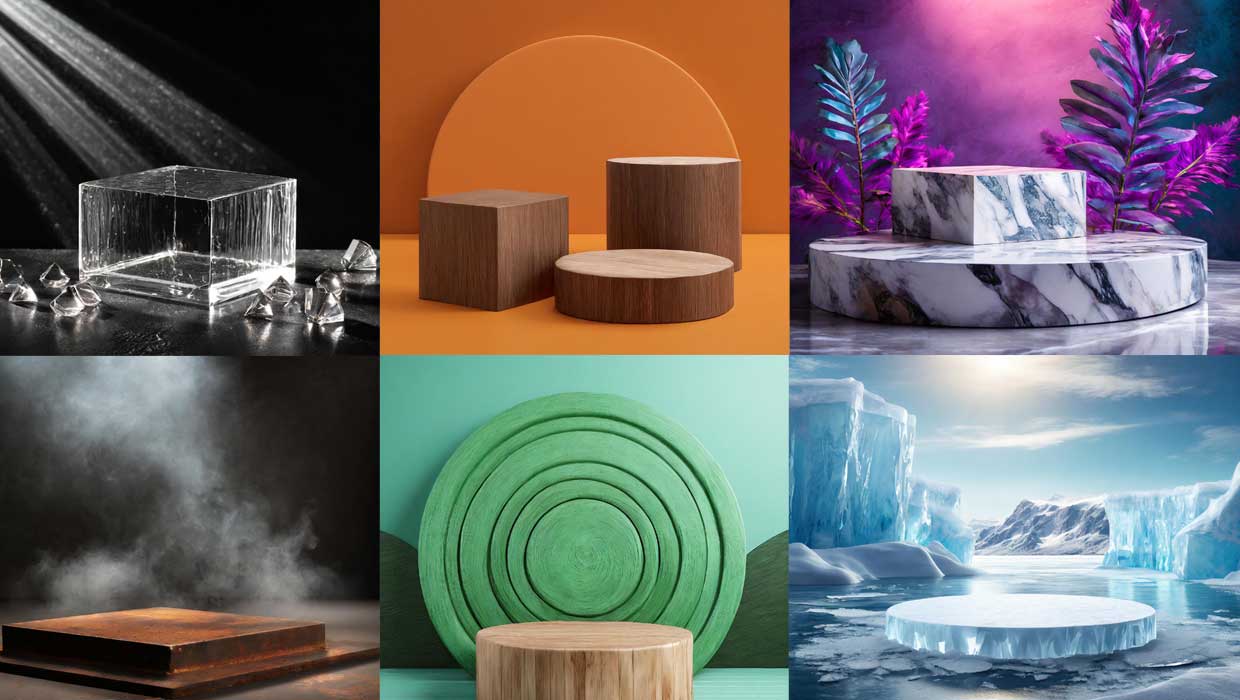
Make your products stand out by putting them on a pedestal in these Adobe Firefly generated images.

This article appears in Issue 37 of CreativePro Magazine.
Make your products stand out by putting them on a pedestal. These Adobe Firefly generated images offer the perfect background for placing your jewelry, cosmetics, or other fashionable product. Just add a shadow in Photoshop using the Brush tool or Generative Fill and voilà! You can even expand these images in Photoshop by using the Generative Expand command, or add pedestals using Generative Fill.
Commenting is easier and faster when you're logged in!

Recommended for you
Members-Only Video: How to Make a Great InDesign Template
Chad Chelius is your guide to creating a great InDesign template to help you wor...

Illustrator Downloadable: Art Deco Borders and Brushes
Custom patterns and brushes to add a sleek and swanky style to your designs

Illustrator Downloadable: Tropical Shadow Overlay Kit
Add some tropical color to your next design with these symbols, swatches, and gr...