




S.A. wrote:
Do we have any option of inserting auto line numbers in InDesign CS3? May be useful for a lot of journal/book publishing jobs.
While there is technically no way to number lines in InDesign, you can fake it by adding a second text story with its own numbering. For example, here’s a file that was built to have two consecutive text flows on each page. (For more on how to do this, see this post.)
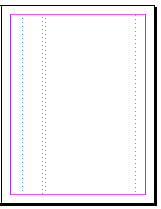
Each text frame on the master page has a First Baseline set to Leading (in the Text Frame Options dialog box). Now you can place the text in the right column, and a bunch of numbers in the left column. Where to get all those numbers? This post has a link to a file with a thousand or so numbers in it.
As long as the leading values in the two stories are the same, the numbers will line up with the lines of text.
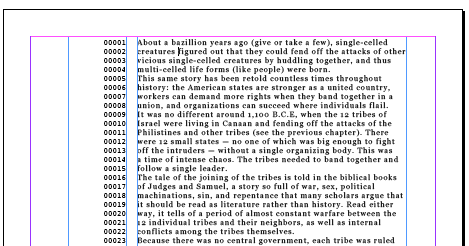
Obviously, this is limited because the leading isn’t always the same throughout a story (which will mess this system up). But I think it’s at least somewhat useful… until some enterprising plug-in developer comes up with a better solution!
This article was last modified on December 18, 2021
This article was first published on February 18, 2008
Commenting is easier and faster when you're logged in!

Recommended for you

Adding and Styling Text in Premiere
Myra Ferguson covers text formatting and safe margins in Premiere.


Index Fixes: Sorting
InDesign doesn't distinguish letter-by-letter and word-by-word sorting, it suppo...