



Press Release
Put over a million palettes in your pocket with ColorSchemer Touch. Turn your iPhone/iPod Touch into an endless source of ideas and inspiration from the 450,000-member COLOURlovers creative design community.
ColorSchemer Touch (special introductory price of $2.99) makes it fun and easy to explore, create, interact, and share your color ideas – whenever inspiration strikes.
Explore
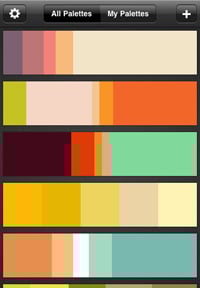
Browse over 1 million pre-made color palettes:
Connect to the COLOURlovers community to browse through over a million member-created color palettes, with hundreds more being added every day.
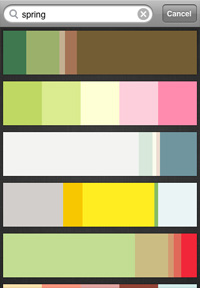
Search for the perfect palette:
Tap out a few keywords (“ocean”, “sunset”, “spring”) to find exactly the mood or theme you’re looking for, right at your fingertips.
Create
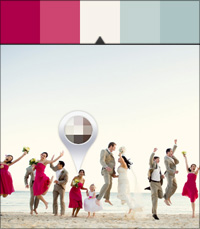
Pull color palettes from photos:
Create unique palettes from your camera or photo library, and capture the colors in the world around you.
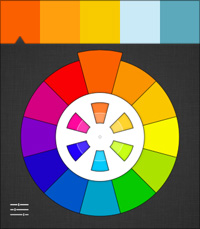
Spin the color wheel:
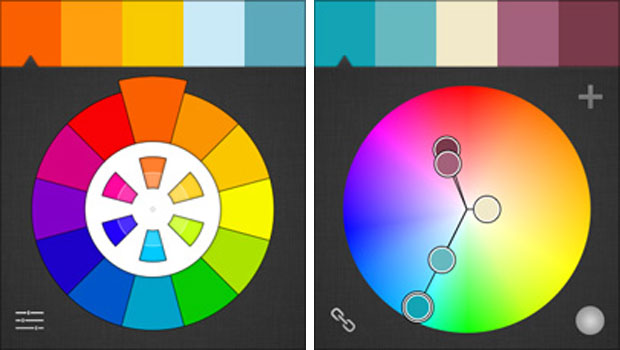
Visualize color harmonies and relationships on the built-in pocket color wheel. You can even tap the wheel to watch it spin like a real-life artist color wheel.
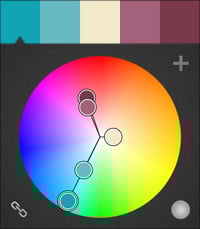
Go beyond the color wheel with LiveSchemes:
Use the LiveSchemes tool to rotate color palettes with a quick tap, all while maintaining their harmony relationships.
Interact
Connect with the COLOURlovers community:
Share the love to let others know how much you like their work, or bookmark your favorite palettes so you’ll always be able to find them later.
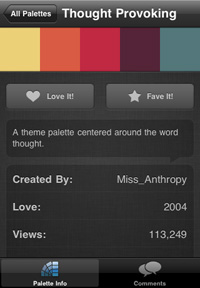
Comment from your perspective:
Get social! Share your thoughts on your favorite palettes, or get feedback from the community on your own creations.

Sync & Share
Sync your palettes with COLOURlovers:
Automatically sync your palettes with your free COLOURlovers account, so you’ll have them wherever you go, or on the web.
Share palettes with others:
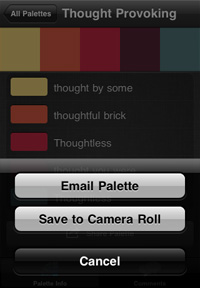
Email your favorite palettes to friends and co-workers, or save them right to your camera roll.
Even More Goodies
ColorSchemer Touch also comes with a few other helpful tools and tricks, including:
* Spectrum picker: Pick colors as easily as dragging your finger across the color spectrum.
* Color sliders: Tap the color wheel to pop up RGB sliders to pick your base color.
* Drag & drop: Creating your own palette is as easy as dragging & dropping colors onto the palette bar. You can even rearrange the order of colors, or drag them off to remove them.
* Fullscreen palette previews: Tap the palette display on the palette details screen to expand it to fullscreen for a more focused view.
This article was last modified on January 18, 2023
This article was first published on December 7, 2010
Commenting is easier and faster when you're logged in!

Recommended for you

Use Bridge to Find and View All Linked Assets in an InDesign File
Quickly find and collect every linked asset in your InDesign project using this...

The CreativePro Guide to Graphics File Formats
Learn about graphics file formats, their pros and cons, and how to choose which...

10 Essential Tips for Adobe Camera Raw
Adobe Camera Raw is an incredibly powerful and flexible tool for applying adjust...