



Running headers, footers, and page numbers are document elements that should always come from a master page. But you might wonder how to keep things like page numbers visible on your document pages when you have other objects like photos or backgrounds that overlap them. Unless you override them, master page items will be stuck sitting behind items that you create on your document pages.
So what’s to be done? Never put any objects in the same area as your folios? Always override headers and footers when they get covered up? Nope, there’s a much better (and as we say in Boston, “wicked easy”) solution. And in the latest InDesign Secrets video at lynda.com, Anne-Marie Concepción demonstrates it.
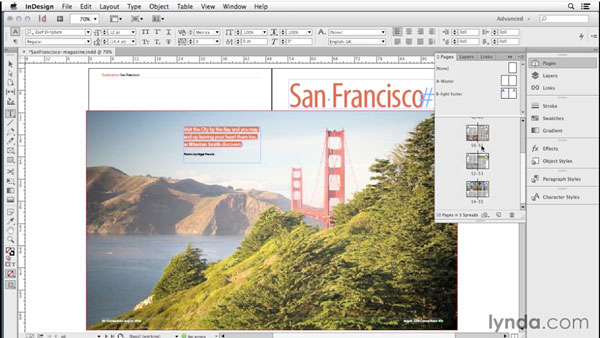
She also shows how to handle situations where a dark folio would be hard to read over a background color or photo. So check out the InDesign Secrets video series at lynda.com and “master” the trick of keeping page numbers always visible.
This article was last modified on March 5, 2025
This article was first published on October 3, 2014
Commenting is easier and faster when you're logged in!

Recommended for you

Page Numbering Perfection
Learn all the ins and outs of page numbering, prefixes, and section markers in I...

What Are Those Brackets in the Pages Panel?
The Pages panel is not always the easiest part of InDesign to decipher. Take tho...

InDesign How-to Video: Create Form Lines, Part 2
In this week’s InDesignSecrets video, David Blatner is back with another way to...