



You probably know how every frame in InDesign, whether it contains text or images, is a vector object that you can reshape like a path in Illustrator by moving anchor points and control handles with the Direct Selection tool. But if you’ve ever applied corner effects to frames you may have been mystified about how to reshape those corners. Just switching to the Direct Selection tool won’t do it. But in the latest InDesign Secrets video at lynda.com, David Blatner shows how to apply corner effects and then convert them to regular path segments that you can reshape however you like, to make things like the speech bubble shown below.
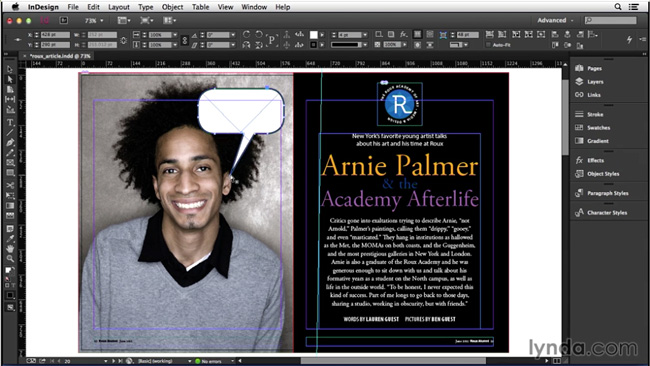
In the video, David shows a quick and easy (but totally obscure) trick to make corner effects editable. Seriously, if you didn’t know this trick you’d never guess it in a million years. OK, maybe in a million, but you can learn it a whole lot faster just by watching the video. Check it out in the InDesign Secrets video series at lynda.com.
This article was last modified on March 5, 2025
This article was first published on September 11, 2014
Commenting is easier and faster when you're logged in!

Recommended for you

InDesign How-to Video: How to Automate Run-in Header Styles
In this week’s InDesignSecrets video, David Blatner shows how easy it is to form...

Illustrator Downloadable: Cozy Plaid Pattern Set and Palette
Use this Illustrator downloadable to evoke cozy warm feelings in your vector art...
Using Paper Color to Help Distinguish Various Files
I’m currently working on a complex manual regarding a marine electrical sy...