



The July 2024 release of InDesign (version 19.5), sports three significant new features that are worth knowing about: Generative Expand, a History panel, and Find/Change Text Case. We’ll explore each one in future posts, but here’s a quick rundown to start.
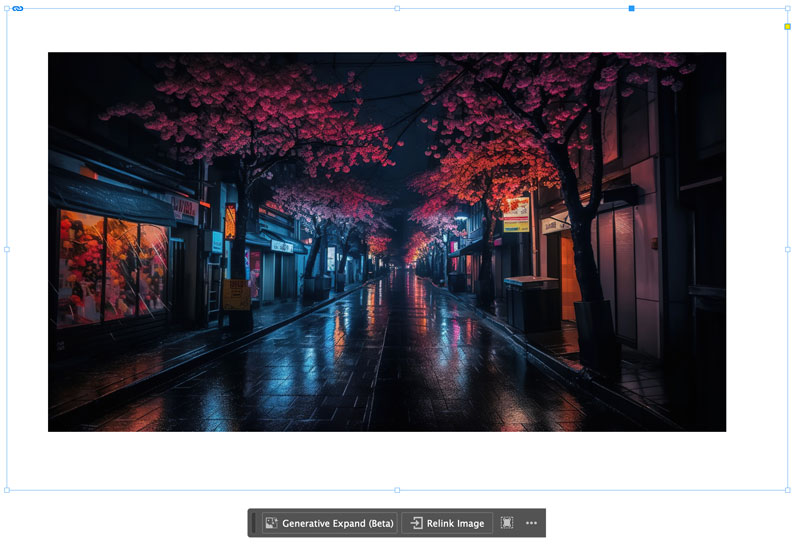
Generative Expand
Official description: Generative Expand intelligently fills in missing areas when you resize an image, saving time and effort. For instance, it seamlessly adds background elements, like sky or grass, for a more complete composition.
Currently, Generative Expand is only available in the InDesign versions of English International and English North America.

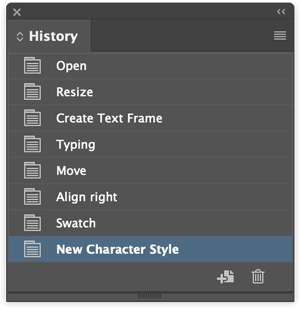
The History panel
Official description: With the History panel, you can undo and redo multiple steps from a single panel, providing flexibility and control over your editing process. You can quickly revert to a previous state, delete it, or create a new document with it.
Find/Change Text Case
Official description: You can seamlessly adjust text cases, ensuring design consistency and streamlining your workflow. Use the case enhancements from the Find/Change panel to simplify bulk text styling tasks.

This article was last modified on July 18, 2024
This article was first published on July 18, 2024
Commenting is easier and faster when you're logged in!

Recommended for you

InDesign GREP You Already Have
There are a few things in InDesign that send the most seasoned of designers scre...

Remove Multiple Returns and Replace with Space Between Paragraphs
You're given a file that is full of extra paragraph returns. How can you remove...

New Features in Photoshop 2025
New features in Photoshop 2025 including powerful new ways to select, mask, and...