




This InDesign tip on How to Find Tables With Find/Change was sent to Tip of the Week email subscribers on April 26, 2018.

Sign up now and every week you’ll get a new tip, keyboard shortcut, and roundups of new articles, plus exclusive deals sent right to your Inbox!
Just scroll down to the bottom of this page, enter your email address, and click Go! We’ll take care of the rest. Now, on with the tip!
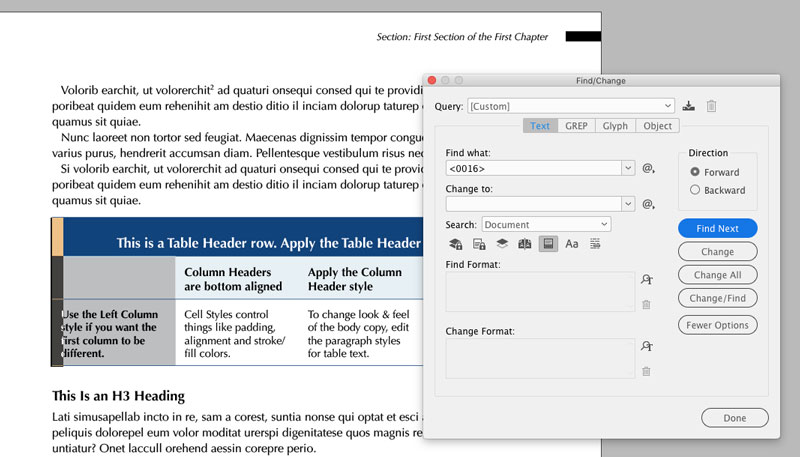
Ever wish you could quickly locate all the tables in an InDesign document? You can with the help of Unicode and Find/Change. The trick is just to search for the Unicode character that InDesign uses to mark tables in the flow of a text frame. And that code is <0016>. Use it in the Text section of the Find/Change dialog box.
This article was last modified on July 7, 2021
This article was first published on May 1, 2018
Commenting is easier and faster when you're logged in!

Recommended for you

Table: Rotate Column Headers
Rotate the cell content of the selected row 90 degrees clockwise.
Missing Glyphs
InDesign shows missing glyphs as pink boxes. The script can be used to list all...