




At one time or another, every Photoshop user has looked at an image and wondered: how large can I print this? The answer isn’t always easy. It depends on a lot of factors, including what kind of printing you plan on doing, how much resolution you have to work with, and the content of the image itself. It’s easy to get muddled in the details of print size, PPI, DPI, etc. Fortunately, at lynda.com there’s a free video by Julieanne Kost to help you understand how to use the controls in Photoshop’s Image Size dialog box. These are the controls you need to master to control image size, resolution, and (to some extent) quality.

In the 3-minute video (which is part of the Photoshop CC 2015 Essential Training course), Julieanne shows how to tell the resolution of an image at any chosen print size, and preview the results you’ll get. She also shows how to see what percentage of image information Photoshop will have to create when you upsample an image. This can help you gauge how much quality you’re sacrificing when you upsample.
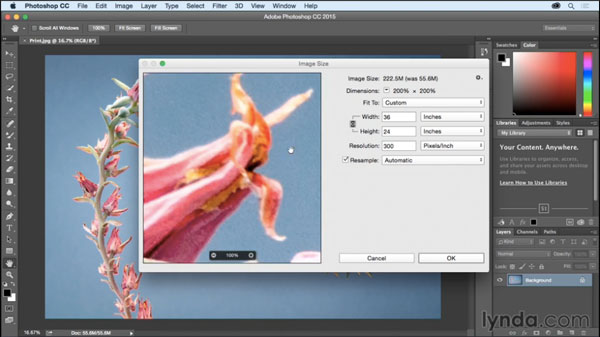
So check out the video, and you’ll never wonder again how large you can print your images.
This article was last modified on June 30, 2023
This article was first published on August 25, 2015
Commenting is easier and faster when you're logged in!

Recommended for you
How to Copy Shape Formatting in Photoshop
The easy way to reuse fill and stroke formatting applied to a shape layers in Ph...
Turning an Image to Pure Black and White in Photoshop
Turning images to black and white gives them a stark, urban feel that can look g...
Livestream Video: How to Make it Snow in Photoshop
Follow along with Khara Plicanic to learn how to add a festive and seasonal touc...