




One of the touted benefits of Adobe’s Creative Cloud was that we’d get smaller batches of new features more often than in the past. Not does this get those features in your hands faster, it also means there’s less you have to learn each time. So why doesn’t it feel any easier to keep up with all the changes? If you’re fighting to keep up with everything new in an already gargantuan app like Photoshop, you need some help. I can think of no one I’d rather have as my guide to the latest and greatest Photoshop features than Deke McClelland. That’s why I love his Lynda.com video series, Photoshop 2015 Creative Cloud Updates. In the series, Deke takes you through all the new features, and drops a ton of cool Photoshop tips along the way.
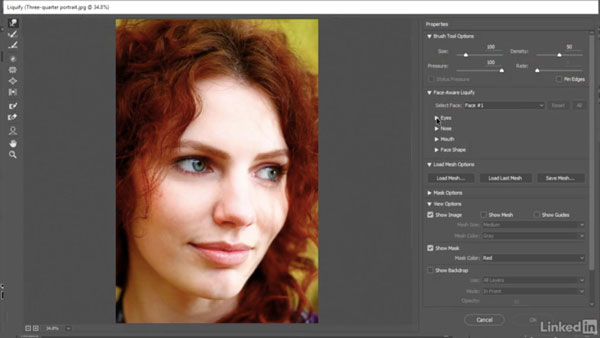
In the free movie below, Deke shows how to use the almost-so-amazing-it’s-creepy facially-aware Liquify features. They’re guaranteed to turn any frown upside down. Literally.
Check it out!
Photoshop Creative Cloud Updates
Special face-recognition scenarios
For Lynda.com members, if you are currently signed in to your account, you can also check out these videos from the series.
Not a Lynda.com member?
Get 10 days of free unlimited access to Lynda.com.
Face-Aware Liquify
Content-Aware Crop
Font families and glyph alternates
This article was last modified on July 27, 2016
This article was first published on July 27, 2016
Commenting is easier and faster when you're logged in!

Recommended for you

CreativePro Week 2026 Preview: 5 Indispensable InDesign Sessions
Five sessions InDesign users can't afford to miss

Apply Hyphenation Corrections
This one runs in conjunction with the previous one to apply to the document or t...

What’s New in Photoshop: April 2026
New features for removing unwanted people and objects, rotating objects, and ren...