




Editor’s Note: In 2008, Pariah wrote two standalone articles about handy tools that are online and free. You liked those articles so much — and there’s so much good stuff online — that we decided to make it a monthly column. Welcome to the first installment!
High-Resolution Valentine Photoshop Brushes
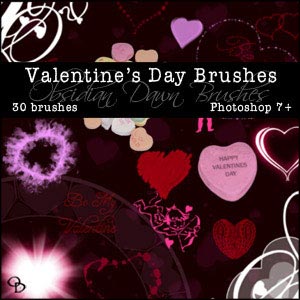
February 14 is just around the corner. Hearts may be on your mind and quite possibly on your screen. If you’re designing for Valentine’s Day (or just feeling romantic), you’ll love this excellent free collection of heart- and valentine-shaped Photoshop brushes from Stephanie at PhotoshopSupport.com. The 30 brushes range from photographic heart candies to vector cherubs, border brushes to scatter brushes. Stephanie has even included brushes depicting hearts created from blood spatter. (I have to wonder what Valentine disappointment inspired those creations.) With an average resolution of 1,500 pixels, these free Photoshop brushes are ready for any design, from 72 dpi Web graphics to high-resolution print work.
99 Valentine’s Day Fonts
Looking for love in all the wrong typefaces? Here’s a loveable collection of 99 free Mac- and Windows-compatible TrueType fonts to adorn your cards, flyers, and other St. Valentine’s Day designs. These are all legal fonts, though admittedly, some aren’t the highest quality. Few include more glyphs than the standard alphabet and hinting and kerning data is almost non-existent. But, hey, they’re free.
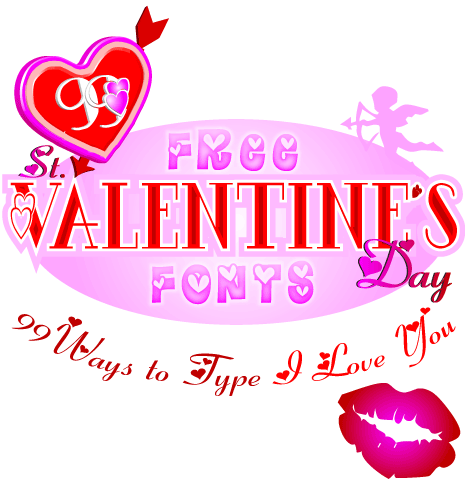
View and download the fonts individually or as a collection from Designorati.com.
T-Shirt Design Template in 40 Colors
Although screen-printed t-shirts are nothing new, they weren’t that fashionable until the last few years. Now you can find thousands of them everywhere from Target to Threadless.
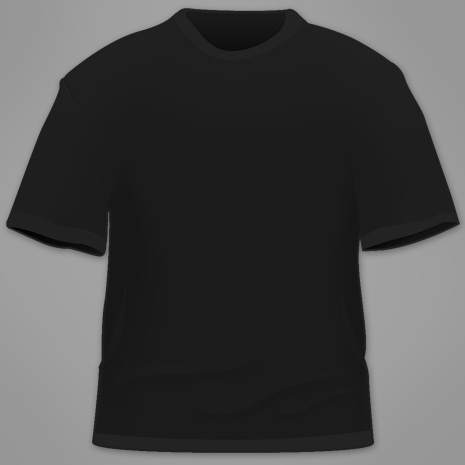
If you want to get in on the t-shirt design action, read the CreativePro.com article How to Break into T-Shirt Design, then download this free men’s t-shirt template in Photoshop PSD format from ColorOverload.com. The template is a photo-realistic tee perfect for visualizing or comping modern graphic tees or plain old client logo treatments, and it includes copies of the shirt in 40 standard American Apparel colors.
Project Timer Lite
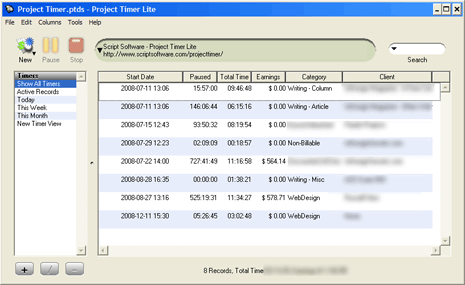
Whether you’re a freelancer or an in-house designer, tracking your time is crucial. Yet most time-tracking systems are full-blown project-management applications that track teams, resources, tasks, and microtasks, and a lot of other stuff that the average designer just doesn’t need. As a self-motivated freelancer, I want an application with the following characteristics:
* Clean, intuitive user interface. Put my most common tasks on buttons, not buried on menus and submenus, and give me a quick view of what I’m working on and how long I’ve been working on it.
* Unobtrusive to my work. Let me quickly define a client, a project for the client, and then click a button to start my time working on the project. When I’m done, I want to click just one more button to pause counting time on that client or project — with the ability to pick up work later and add to the billable time already accrued.
* Easy integration with other tools. Let me quickly and easily move some or all of the data out of the task timer into my invoicing application.
Although it has a few quirks, Project Timer Lite can do all of the above, and it’s free for Windows and Mac OSX. If you need the same features, give it a try.
Note that Script Software officially discontinued development of Project Timer Lite and Pro almost a year ago. As of this writing, it’s still available for download, but who knows for how much longer.
Portable Password Management
Nearly everything creative pros do on the Internet and intranets requires usernames and passwords. Keeping them straight can be a real bear, especially if you follow strong security protocols and have different usernames and passwords for each account and build passwords made up of random letters, numbers, and punctuation.
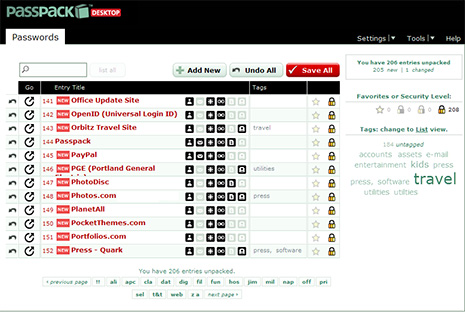
Unless you’re hyper-organized with an infallible memory, you need PassPack, an excellent desktop, online, and mobile password manager. The application has two parts: a standalone, cross-platform desktop application, and an online service. You can use either exclusively, but they really shine when used together.
The standalone PassPack desktop client is built on Adobe AIR technology, which means it works exactly the same on Windows, Mac, and Linux. It can manage complete details for all your accounts: user ID, password, e-mail address, URL to the service or site, and notes. You can even tag account entries with searchable keywords. The PassPack desktop app can track account details on a single system, and it can also import from and export to other PassPack installations, other common password managers, and comma- or tab-delimited files. It can even be installed on a USB stick or iPod.
PassPack.com, the online service component, lets you enter and manage account details from the browser without a desktop client. That means that your account details are available from any Web connection. Couple it with the desktop client, though, and you have the convenience and ease of using a desktop password manager with the added benefit of synchronization across multiple computers. If you’re a multi-platform, multi-computer worker, you’ll have all of your account details available on every system no matter which computer you used to create the PassPack entry.
If you use the online service, you’ll notice that the free account is limited to only 100 managed entries. To manage more, you’ll need to upgrade to a Pro account for a monthly fee.
Download the PassPack desktop application and/or sign-up for a free online account here.
I’ll be back next month with another five free tools and resources. In the meantime, please let us know in the comments what you think about this new column and the tools recommended above.
Please note: Free for All will often link to resources hosted on external Web sites outside of the control of CreativePro.com. At any time those Web sites may close down, change their site or permalink structures, remove content, or take other actions that may render one or more of the above links invalid. As such neither Pariah S. Burke nor CreativePro.com can guarantee the availability of the third-party resources linked to in Free for All.
This article was last modified on January 4, 2022
This article was first published on January 19, 2009
Commenting is easier and faster when you're logged in!

Recommended for you

Neue Haas Unica: The Lost Sequel to Univers and Helvetica
Pardon me for waxing enthusiastic. Some things are just too cool to stay calm ab...

TypeTalk: Two-Story Type
There are two forms of the letter A and two of the letter G—do you know what the...
New Handwriting Font Release
Press Release Monotype Imaging Holdings Inc. (Nasdaq: TYPE), a leading global pr...