




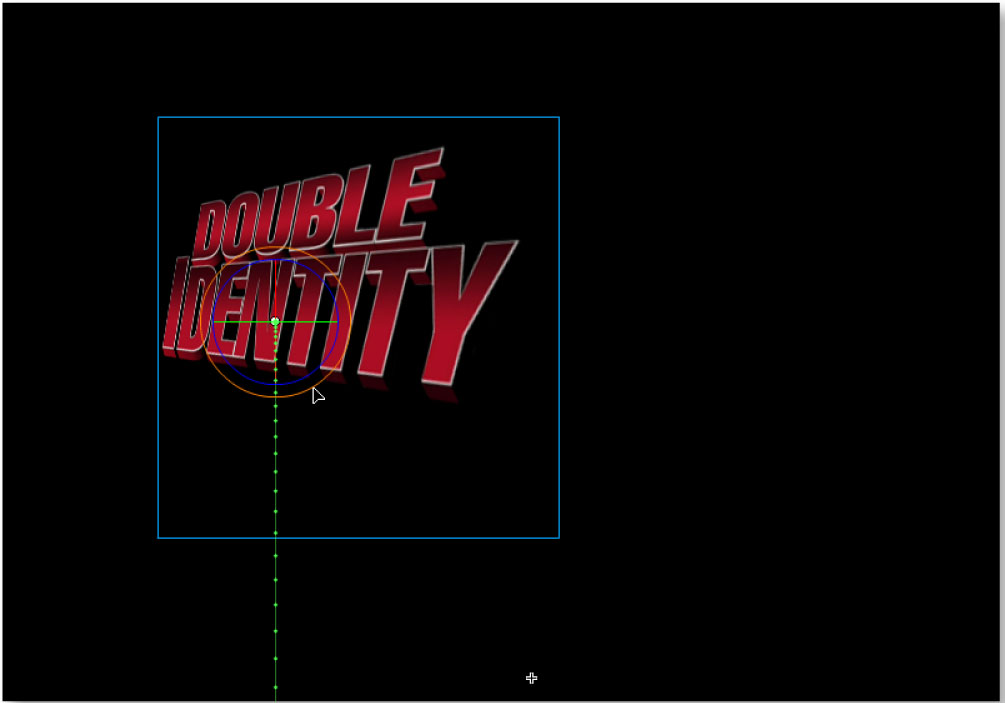
The new 3D features are useful for converting symbols from 2D to 3D and also animating them in a 3D space. Flash CS4 comes with only two 3D tools, the 3D Rotation tool (for rotating symbols in a 3D space) and the 3D Translation tool (for moving symbols in a 3D space). It’s easy to do some limited but impressive 3D tricks with these tools.
You can spin a logo like this in 3D space. Click on the image for a much larger version.
Flash CS4 has several other improvements:
- The new Deco tool and Drawing Effect panel fills shapes with patterns (a fractal vine pattern or a grid pattern) or draws symbols in symmetry to one another
- The new XFL file format, which will replace FLA, allows for better integration with InDesign, After Effects and other CS4 apps
- Flash finally has a Bones tool to set up and animate armatures. Bones and inverse kinematics will be familiar to users of other animation applications
- Adobe AIR 1.0 is now an option when publishing, making it easy to create AIR applications with Flash
For full reviews of the shipping versions of all three of these apps, check back soon!
This article was last modified on December 17, 2022
This article was first published on September 23, 2008
Commenting is easier and faster when you're logged in!

Recommended for you
Smarter Thumbnails in Photoshop
Make Photoshop layer thumbnails clearer with one quick setting change.

Interview with Sam Luo, Designer and YouTube Creator
Discover how a passion for helping fellow students led the founder of LYH Studio...

Gathering Video Assets for Premiere Projects
Import, acquire, animate, and use AI to generate video content for Premiere