



This InDesign tip was sent to Tip of the Week email subscribers on March 21, 2019.

Sign up now and every week you’ll get a new tip, keyboard shortcut, and roundups of new articles, plus exclusive deals sent right to your Inbox!
Just scroll down to the bottom of this page, enter your email address, and click Go! We’ll take care of the rest. Now, on with the tip!
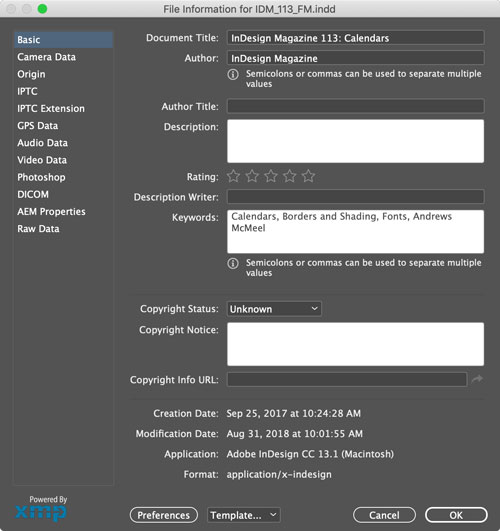
You can add metadata to your InDesign files with File > File Info, and then search for your documents better, based on that metadata, in Bridge. The metadata will also show up in exported PDF files.
This article was last modified on July 7, 2021
This article was first published on March 26, 2019
Commenting is easier and faster when you're logged in!

Recommended for you

Women in Design
A look at eight designers who have helped shape the world of layout and typograp...

This Month in InDesign Articles, April 2019
Everyone has been wondering how the final season of Game of Thrones will end, bu...

InDesign How-to Video: How to Use Primary Text Frames
In this week’s InDesignSecrets video, Erica Gamet demos how to use InDesign’s Pr...