



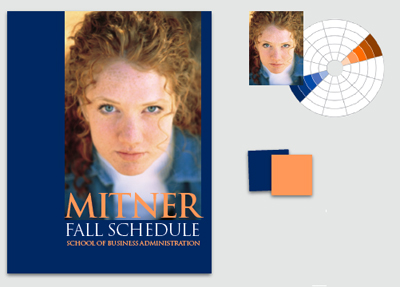
Choosing colors doesn’t have to be a guessing game. In this article from Before & After magazine, follow along as a designer finds fitting colors for a cover with a photograph and text. You’ll see how to pull coordinating colors out of a photo and how to convey a variety of messages with simple changes in hue.

“The cool colors — blues, mainly — make for a more serious, businesslike relationship and convey a direct, to-the-point message. Note that as the values get darker, her face gets perceptually brighter and apears to rise off the page toward you.”
We’ve posted this excerpt as a PDF file. Just click the Download link above to open the PDF file in your Web browser. (This how-to is formatted for easy onscreen reading. However, if you prefer paper, see pages 18 through 24 of the PDF, which repeat the information in a format suitable for printing.)
 .
.
Commenting is easier and faster when you're logged in!

Recommended for you

Before&After: Design Your Own Christmas Cards
This 16-page article from issue 42 of Before&After Magazine shows you how easy i...

Before&After Design Tip: Condense Your Design
Think small and focused to to get good results easily.

Before&After: Design a Peekaboo Brochure
This brochure with a narrow front panel gives a peek at the inside, which opens...