



“Before & After” Magazine”

You can subscribe to “Before & After Magazine” in PDF or Print.
Click here to learn more.
Electronic organizers are a great way to manage your calendars when what interests you is data. But to tell a story, present a product or stir a memory, you’ll want a good, old-fashioned paper calendar. Here’s how to design a small calendar.
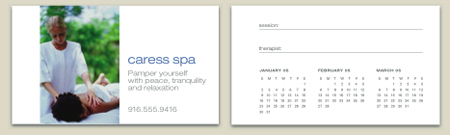
The PDF we have posted shows you how to design and print a business-card size and postcard size calendar. Just click the link “How To Design a Small Calendar” to open the PDF file in your Web browser. You can also download the PDF to your machine for later viewing. This how-to is formatted for easy onscreen reading. However, if you prefer paper, see pages 20 through 28 of the PDF, which repeat the information in a format suitable for printing.
To open the PDF, you’ll need Adobe Acrobat or Adobe Reader. We highly recommend Acrobat Reader 7.0 to view Before & After PDFs. You can download the Acrobat Reader here.
To learn how to configure your browser for viewing PDF files, see the Adobe Reader tech support page.
This article was last modified on January 6, 2023
This article was first published on October 3, 2005
Commenting is easier and faster when you're logged in!

Recommended for you

How to Make Multiple Social Media Posts in One Photoshop File with Artboards
Here’s how you can use artboards to make social media graphics perfectly s...

The Sign Painters
It’s easy to take for granted that the existence of digital tools for creating g...

Marketing Is A Long-Term Relationship
Article courtesy https://www.FreelanceDesignMarketing.com. Many freelance design...