




This CreativePro Tip of the Week onPreviewing Graphic Styles in Illustrator was sent to CreativeProse email subscribers on October 25, 2017.
Sign up now and every week you’ll get a new tip, plus roundups of new articles, and exclusive deals sent right to your Inbox!
Just scroll down to the bottom of this page, enter your email address, and click Submit! We’ll take care of the rest. Now, on with the tip!
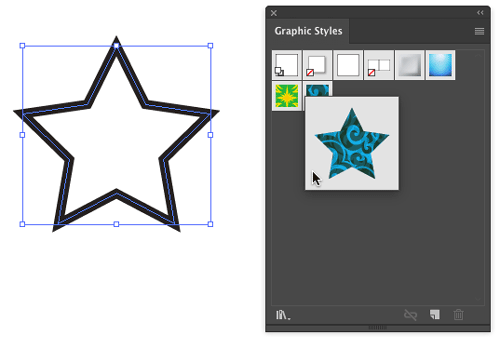
Want to see what an object in Illustrator would look like with a certain graphic style applied to it? You don’t have to actually apply the style, just select the object and right-click on the style in the Graphic Styles panel to see a preview.
This article was last modified on December 7, 2017
This article was first published on December 7, 2017
Commenting is easier and faster when you're logged in!

Recommended for you

CreativePro Video: How to Use Camera Raw in Photoshop
In the following CreativePro video, Michael Ninness shows us how to use Camera R...

InDesign Magazine Issue 123: Nonfiction Design
We’re happy to announce that InDesign Magazine Issue #123 (July 2019) is no...

Illustrator and InDesign
Steve Caplin explains how to combine the strengths of InDesign and Illustrator i...